
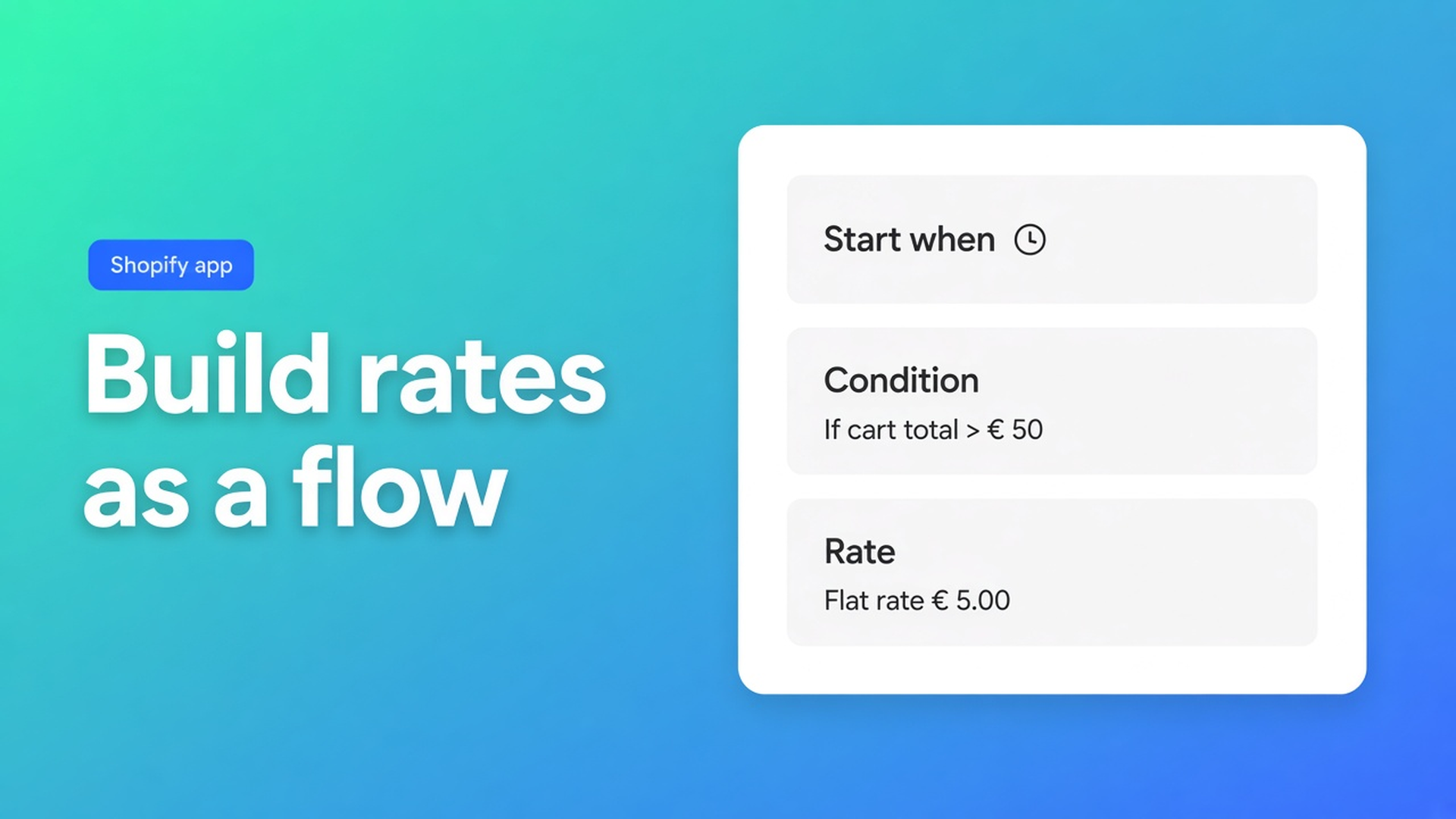
How to set shipping rates in Shopify when zones are too blunt
Country-flat plus “free over €75” lasts until a pallet, an island postcode, or a wholesale tag. Shopify zones are blunt. How to set shipping rates in Shopify with weight, postcode, product, and date is a canvas, not another row in the default table.
OO - Shipping Rates & Rules is Free. Listing (1 Nov 2026): 0 reviews, launched 28 Oct 2026 — do not invent stars. Visual rates flow or an AI draft. Fixed, tier, or per-unit pricing with thresholds, minimums, handling. 40+ conditions. Combined rates. Hide/rename/reorder. Activity logs.
Shopify Help Shipping rates still explains flats, free shipping, carrier-calculated rates, profiles, zones, markets. This app adds its own carrier and a flow on top.
Getting Started in docs: install, dashboard checklist, Shopify plan requirements, attach the carrier to every zone or market. Shipping rates: create an app zone, build the visual flow (`Start when…`, conditions, rate cards), price from fixed / weight / quantity / cart total / volume / dimensional weight.
Plan caveat — say it before the demo
Carrier-calculated custom rates (checkout asking the app for a price): typically Advanced Shopify or higher, a development / Partner development store, Plus, or a shop where the carrier is already active.
Delivery customization (hide, rename, reorder): works on more plans. Advanced is not required for that canvas.
Lower plans see a banner and a delivery-first checklist. Do not promise postcode-priced carrier rates on Basic as if the carrier always starts.
Native flats stay until you hide them or until checkout actually requests the app carrier. Forget to attach the carrier to the zone and you only see Shopify’s own rates — or none.
Why checkout shows “no shipping”
One €6.95 method. Fine until 30 kg.
Weight tiers in the Shopify zone. Better. Still no product tag, no dimensional weight, no blending two components into one line.
A Plus-only checkout script. Not required for hide/rename on more plans, and not a visual rates flow.
The working order is: app zone → canvas → carrier on every market zone → test checkout → 7-day activity logs.
Setup in that order
App zone. Name you will recognise. Open the visual rates flow.
Canvas. `Start when…`, conditions (country, postcode, weight, product, tag, date, …), rate cards. Reconnect. Save. AI can draft; you review before save.
Pricing. Fixed, or based on cart total / weight / quantity / volume / dimensional weight (L×W×H metafields + divisor, often 5000 for cm/kg). Threshold discount, minimum, handling — whatever the rate editor allows.
Attach the carrier to every Shopify zone/market you ship. Otherwise checkout never asks.
Optional delivery rules on a separate canvas (hide/rename/reorder). Available on more plans.
Test checkout and activity logs (last 7 days): which zone/rate, why not.
Combined rates (several zone rates → one checkout line, discount or markup) come after a single zone works.
Listing categories cover flat/carrier/customer/dimension/quantity/weight/ZIP, rate blending, multi-zone, multi-origin, plus hide/rename. Works with Checkout.
NL parcels, island surcharge, free over €120
Merchant on Advanced. App zone “NL”. Start when country = NL. Island postcodes → fixed + handling. Else weight tiers with a threshold discount when cart total ≥ 120. Carrier attached to the Netherlands zone. Tests: Amsterdam 4 kg, island 4 kg, Amsterdam €130.
Without Advanced: you can still hide “DHL” when the customer tag is `Pickup`. Do not promise custom carrier prices until the plan (or an already-active carrier) allows it.
AI draft in plain language is a starting graph. Every condition is yours to keep or delete. Save is not automatic.
Dimensional weight. Rates docs include cart dimensional weight. That needs L/W/H metafields and a divisor (commonly 5000 for cm/kg). Without dimensions the flow should use weight or a fixed card — do not claim the app “scans the box”. Product dimensions have their own hub; this article stays on the first zone.
Combined rates. Get one zone to appear at checkout. Then blend two components into one line (discount or markup). If the single rate is missing, blending will not fix it — logs first.
Hide vs a new rate. “Hide DHL when tag is Pickup” is delivery customization, a separate canvas, more Shopify plans. “Show island €X” is a rate card on the carrier flow, Advanced caveat. Using hide to paper over a missing rate leaves a hole in checkout.
Markets. Attach the carrier to every zone or market you ship. One NL app zone and three Shopify Markets without the carrier means two Markets never ask the app. Activity logs (7 days) show whether checkout called you.
Testing. Finish the dashboard checklist. Use an address that matches the condition. No rate: plan banner, forgotten carrier, condition too tight, or leftover native methods stealing the method list. Do not add a second zone yet.
Shopify Help still matters for profiles and default flats. This app does not replace setting up zones; it prices inside the carrier checkout asks for.
Get rates showing
Install OO - Shipping Rates & Rules (Free). Check the plan banner.
One app zone, two rate cards, save.
Carrier on every relevant Shopify zone/market.
Test checkout. Read 7-day logs.
Only then combined rates or hide/rename.
Docs: Getting Started, Shipping rates. Shopify: Shipping rates.
Wrap-up
How to set shipping rates in Shopify with this app means zone + canvas + carrier attached, with the Advanced caveat for carrier rates. Native flats stay too blunt for postcodes and pallets. Delivery customization is the extra lever on more plans.
Ship the first flow from OO - Shipping Rates & Rules. One zone, two cards, one test checkout. If the rate is missing, read the logs — do not add another native €6.95.

The Shopify Select partner for ambitious e-commerce businesses that want to grow!


Services
Reviews
5/5
Mail: info@onlineorigins.nl
Tel: 073 234 0612
KVK: 89825624
BTW: NL865123639B01
Bruistensingel 500,5232 AH 's-Hertogenbosch Cookies
© 2026 Online Origins