
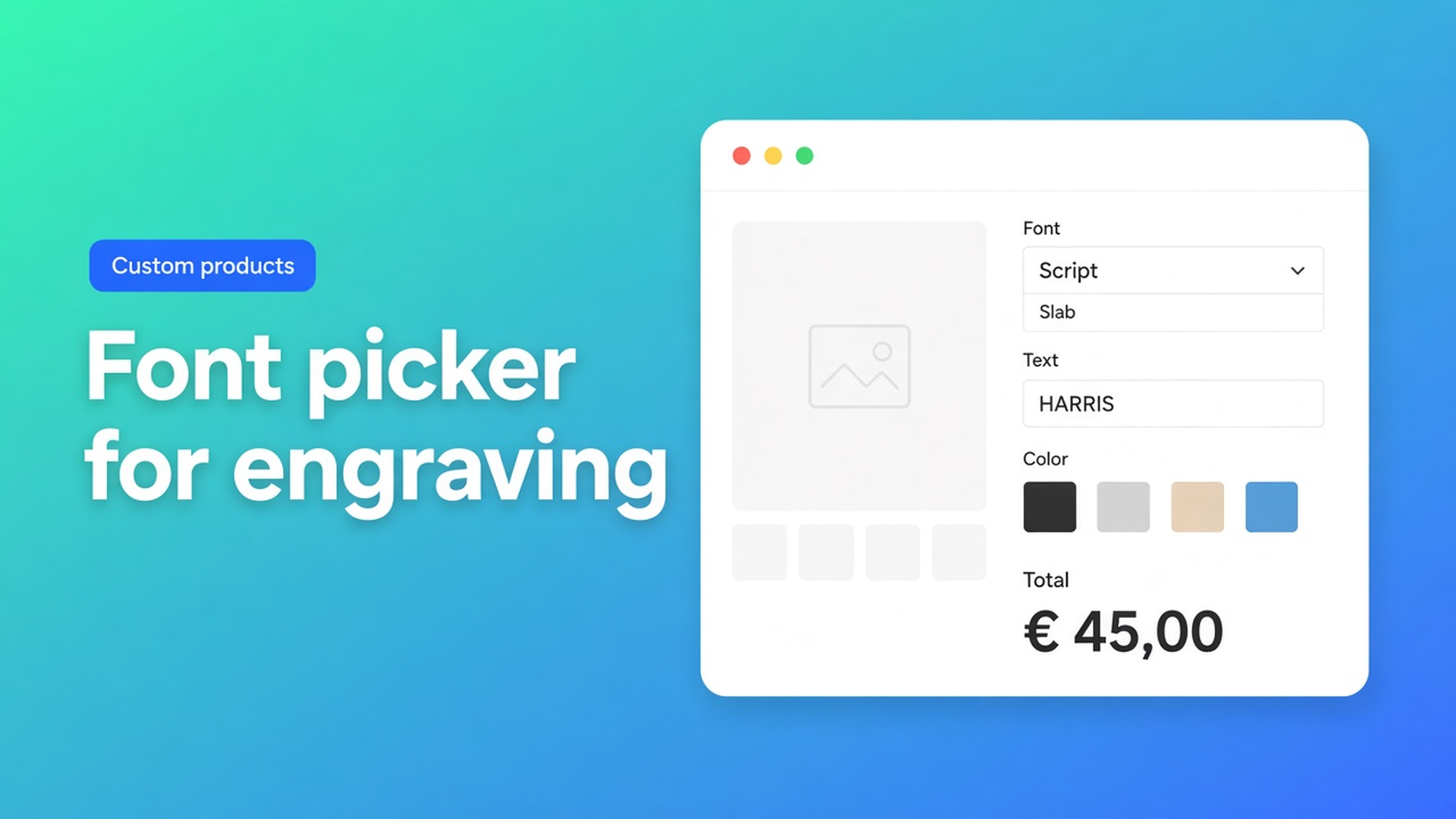
Shopify font picker engraving option: typeface without a SKU
A leather wallet with “Harris” in a script face, a trophy plate with a company name in slab serif: the shopper is buying a typeface plus a string, not “medium”. Native Shopify will not store that as a stocked combination. A theme text box stores the name on the line and leaves the font out of the price. What you want is a Shopify font picker engraving option — typeface, copy and optional colour in one control, priced live, without a variant cell per face.
Adding variants still caps a product at three options and 2048 variants. A Google Font is not a SKU. Line item properties (`properties[Engraving]`) do not change the price. Extra cells in the matrix do not give you a font dropdown wired to a formula.
We already covered live preview for personalised products — overlaying the letters on the photo. This post is the field that feeds that overlay: the Font Picker. The Options Price Calculator listing lists fonts under Customization; on Premium that is a dedicated field type.
Typefaces do not belong in the variant grid
Variants exist so you can stock, photograph or barcode a combination. “Pacifico” is not inventory. If you burn one of your three option slots on Script / Block / Handwriting, you still need a separate place for the actual name. You have spent a slot and you still do not have structured copy.
Keep leather colour or plate size as real SKUs. Keep the face and the string out of the grid.
A Liquid font `<select>` with no calculator is theatre: checkout still charges the variant price. Per-character engraving, a licensed-font surcharge, a gold-fill upcharge — none of those happen until the field contributes numbers.
Workarounds that leak into email
Fonts as option values: three faces, then a fourth, then a licensed one that should cost extra. The list grows; the copy never enters the option. Copy only: shoppers type `HARRIS` or paste a filename; the workshop guesses. Design in another tab: Canva, PNG in the inbox, draft order — no live total, no font value in a formula.
None of that gives you Google Fonts in a dropdown, a text box beside it, optional colour, and three independent price inputs — without extra variants.
One Premium composite, three price levers
Options Price Calculator is Built for Shopify (5.0 from 26 reviews). Unlimited product options, formula pricing, live totals, no extra variants. Starter $9.99/month: unlimited options, formula builder, metafields, multilingual, AI. Premium $14.99/month: conditional logic, Font Picker, live preview, price breakdown. Free: 20 uses; always free on a Shopify Develop plan. Billed in USD.
The Font Picker (Premium) is not on Free or Starter. Docs describe one block with up to three controls:
Font dropdown (built-in picker, Google Fonts).
Free-form text — default label “Text to engrave”, translatable.
Optional colour: curated list, free picker, or both.
Each control can move the price on its own. That is why the field fits engraving, signage and print — not because it is a fourth Shopify option.
Label, key, required
Label sits above the font dropdown. Docs example: `Font`.
Key is the technical id: lowercase, numbers, underscores, no spaces. Typical: `text` or `engraving`. Formulas find the field by that key.
Required field on: every visible part must be complete — font, text, and colour if you show it — before Add to cart. Use it when a blank plate is not an order. Leave it off when engraving is optional.
Font options: label, face, numeric value
Each row is Label + Font + Value (float). Docs: `0` for free faces, `5` for licensed ones. Drag to reorder, mark a default, add or remove rows whenever you like.
That Value is Font option value in the formula. A licensed slab at +$5 is a number on the option, not a new variant.
Text is not optional in the block
The text input always shows with the dropdown. Translate its label per language on the calculator Translations tab. Multilingual labels are Starter+; the Font Picker field itself stays Premium.
If shoppers should not choose a face, skip this field. Use a Text Field instead: a numeric value of `12` means empty = `0` in the formula, any typed text = 12. Reach for the Font Picker when the typeface is part of the purchase.
Colour: list, picker, or both
Enable Allow customer to choose color when letters need a fill.
Options — curated colours, each with Label, Color and Value.
Picker — free colour, one numeric value once anything is chosen, plus a hex default.
Both — radios “Standard colors” / “Custom color”, both translatable.
Colour money is Font color option value. Internally `{key}_color`.
Formula: drop the friendly names
The Formula Builder allows `+ - × ÷ ( )`. `product_price` is the selected variant — wallet, plate, board.
In Form fields the Font Picker appears as Font option value, Number of characters, Font color option value. You do not have to memorise internals. Behind the scenes `{key}_chars` is the character count; `{key}_color` is the colour value.
Per character plus a face surcharge (key `text`):
``` product_price + text_chars * 0.35 + text ```
Here `text` is the font option value, not the string. Docs suggest a computed property such as “Engraving total” so the main formula stays short. Round at the end with `Math.round(...)`.
With colour:
``` product_price + text_chars * 0.35 + text + text_color ```
Min/max length, or “when the second font is selected, change the factor”, needs Premium conditionals. `{key}_optidx` (zero-based index of font or colour) exists only inside those rules, not in the ordinary formula. On Starter the Font Picker is not in the field list.
The older engraving upcharge post is the flat fee. This one is the same fee split across face, characters and colour in one block.
Example: leather wallet, colour as SKU, face as picker
Native options stay at two: leather (tan / black) and size (bi-fold / card sleeve). No “Font” option. No “Name” option.
Premium calculator:
Font Picker `engraving`, required, three faces (Block = 0, Script = 5, Slab = 7)
Colour list: black = 0, silver = 0, gold = 9
Formula `product_price + engraving_chars * 0.45 + engraving + engraving_color`
Shopper picks black bi-fold (variant $38), types “HARRIS” (6 characters), Script and gold: `38 + 2.70 + 5 + 9 = 54.70`. Live on the page, same number in checkout. The line item carries face, copy and colour. There is no variant called “black-script-gold-harris”.
Live preview (Product Personalizer) is a separate Premium add-on: overlay on the product image. The Font Picker still works without it; the workshop reads the line. Want both? Turn Customizer and Font Picker on — and say Premium twice.
Link the calculator with Linking Products & Variants. One calculator covers the wallet line if only `product_price` changes per leather.
Translate the main label, “Text to engrave”, colour labels and the “Standard colors” / “Custom color” radios. The formula does not change.
Ship it
Install Options Price Calculator. Free: 20 uses (Develop always free). Starter $9.99/month for fields and formulas. Premium $14.99/month for the Font Picker (and live preview if you want the overlay).
Put the app block on the product template, under the price, above Add to cart — How to Add the Extension to the Product Page.
Add the Font Picker. Key `engraving` or `text`. Required on if a blank engraving is not an order.
Keep leather, metal or size as Shopify variants. Keep faces and strings out of the matrix.
Test: switch fonts, type a short and a long name, pick a colour, leave the field empty (must block when Required is on), check live price, cart and the order line.
Server-side price validation stops a browser-only total. Theme bindings exist because themes differ — not “works everywhere with no setup”.
Wrap-up
A Shopify font picker engraving option is not a fourth variant option and not a Canva round-trip. It is one Premium field: Google Fonts, copy, optional colour, three numbers in the formula. Native Shopify stops at three options and 2048 variants; “Pacifico + Harris” is not a SKU. Charge per character and licensed faces as values, not as extra cells.
Put the Font Picker in Options Price Calculator (Premium) and let the next shopper pick the face before Add to cart — not in a follow-up email.

The Shopify Select partner for ambitious e-commerce businesses that want to grow!


Services
Reviews
5/5
Mail: info@onlineorigins.nl
Tel: 073 234 0612
KVK: 89825624
BTW: NL865123639B01
Bruistensingel 500,5232 AH 's-Hertogenbosch Cookies
© 2026 Online Origins