
Shopify number field length pricing: sell by the metre without size variants
Cable on a reel, webbing, hose, or fabric off the roll does not come in Small / Medium / Large. The shopper needs 4.25 metres. Shopify number field length pricing exists because native variants cannot store a continuous length. A SKU per centimetre fills the catalogue with cuts you do not stock. Using Quantity as “how many metres” only works for whole numbers — 4.25 m never lands, the cart says “4 items”, and your cut list lives in an email.
This article covers why a length dropdown is still not a rate, why the Quantity workaround breaks on fractions, and how Options Price Calculator puts one number input on the product page: length × rate, live, without extra variants.
We already explained why continuous dimensions do not fit Shopify variants. That piece is about the data type. This one is the 1D checkout: a single number, a single rate, a single field.
Shopify variants store SKUs, not tape-measure readings
Shopify variants are inventory combinations. Adding variants caps a product at three options (Colour, Material, Gauge, …) and 2048 variants. The old 100-variant ceiling is gone; the three-option ceiling is not. Extra cells in the matrix do not give you a continuous metre.
Half a metre to 25 m in 10 cm steps is already hundreds of values — and still not 4.25 m. Each cell is a SKU with its own price and inventory. Shopify allows 250 media per product; a photo per length is not a plan.
Theme line item properties (`properties[Length]`) keep the typed value on the order line. They do not change the price. The shopper types metres and still pays the list price, or you send a quote.
Keep colour or gauge as real variants — those SKUs drive purchasing. Put length in a number field.
Workarounds merchants keep trying
Quantity as metres
A long-running Shopify Community thread suggests listing the product “per metre” and letting Quantity mean length. Fine until someone needs 1.20 m. Cart quantity is an integer. The basket reads “4 items”, shipping weight is wrong, and a 2.5 m minimum is not something Quantity can enforce on its own.
A dropdown of stock lengths
1 m, 2 m, 5 m, 10 m. Cheap to maintain. The shopper who needs 4.25 m buys 5 m or emails you. You will not hit 2048 that way. You also will not sell by the metre.
Quote after measurement
Cut list in, price back. No live total, no self-serve reorder. The product page is a brochure.
None of those give you a required length field, min/max in the unit you actually cut, a live total, and SKUs only for what sits on the shelf.
One number input, one formula
Options Price Calculator is Built for Shopify (5.0 from 26 reviews on the listing). The listing: unlimited product options — including Numbers and Dimensions — and formula-based dynamic pricing. Shoppers configure the product with a live price, without extra variants or manual quotes. Starter $9.99/month: unlimited options, formula builder, metafields, multilingual. Premium $14.99/month: + conditional logic, live preview, price breakdown. Free: 20 uses; always free on a Shopify Develop plan. Billed in USD.
Length lives in the calculator. The variant stays the SKU.
Number Input is not the cart quantity
The Number Input field is built for measurements. Label `Length (m)`, placeholder `e.g. 4.25`, key `length` (lowercase, digits, underscores only). Turn Required field on so Add to cart is blocked without a length. Leave Allow negative values off. Set Minimum and Maximum every time — the docs call this out, otherwise someone types 0.02 m or 80 m.
Leave Is quantity input off. That toggle binds the typed number to Shopify cart quantity. Then 4.25 metres becomes “4 items”, or the field rejects the decimal. Pieces of the *same* length still use the normal quantity selector: two identical 4.25 m cuts = quantity 2.
Working in millimetres? Label `Length (mm)`, min `100`, max `6000`, default `1000`. Same rules.
Formula: rate × length
The Formula Builder supports `+ - × ÷ ( )`. `product_price` is the price of the selected variant — here the per-metre (or per-mm) rate of *that* SKU.
Variant price is the per-metre rate, shopper types metres:
``` product_price * length ```
That is example 4 (`product_price * quantity`) with your own field key. Shopper types centimetres, you still price per metre:
``` product_price * (length / 100) ```
A one-off cut or spool fee, as in example 5:
``` product_price * length + 4.50 ```
A checkbox for extras (end caps, value `2.5`) contributes its numeric value when checked, otherwise `0` — Variables and Field Values:
``` product_price * length + 4.50 + end_caps ```
Round at the end (`Math.round(...)` or `Math.ceil(...)` if you never want to round down). If the metre rate differs a lot per SKU, store it in a numeric metafield (`product_metafield__{ns}__{key}`) instead of the variant price. One calculator, many colours.
A floor price — never under $12 so a 0.30 m offcut does not undercut your handling cost — is example 6: Premium conditional. Do not put that on Free/Starter.
Example: webbing off the roll
Keep SKUs native: colour (black / coyote) and width (25 mm / 50 mm). That uses two of your three options. No “Length” option.
Calculator:
Number input `length`, 0.5–30 m, required, default `1`
Checkbox `heat_seal` (1.80) optional
Formula `product_price * length + heat_seal`
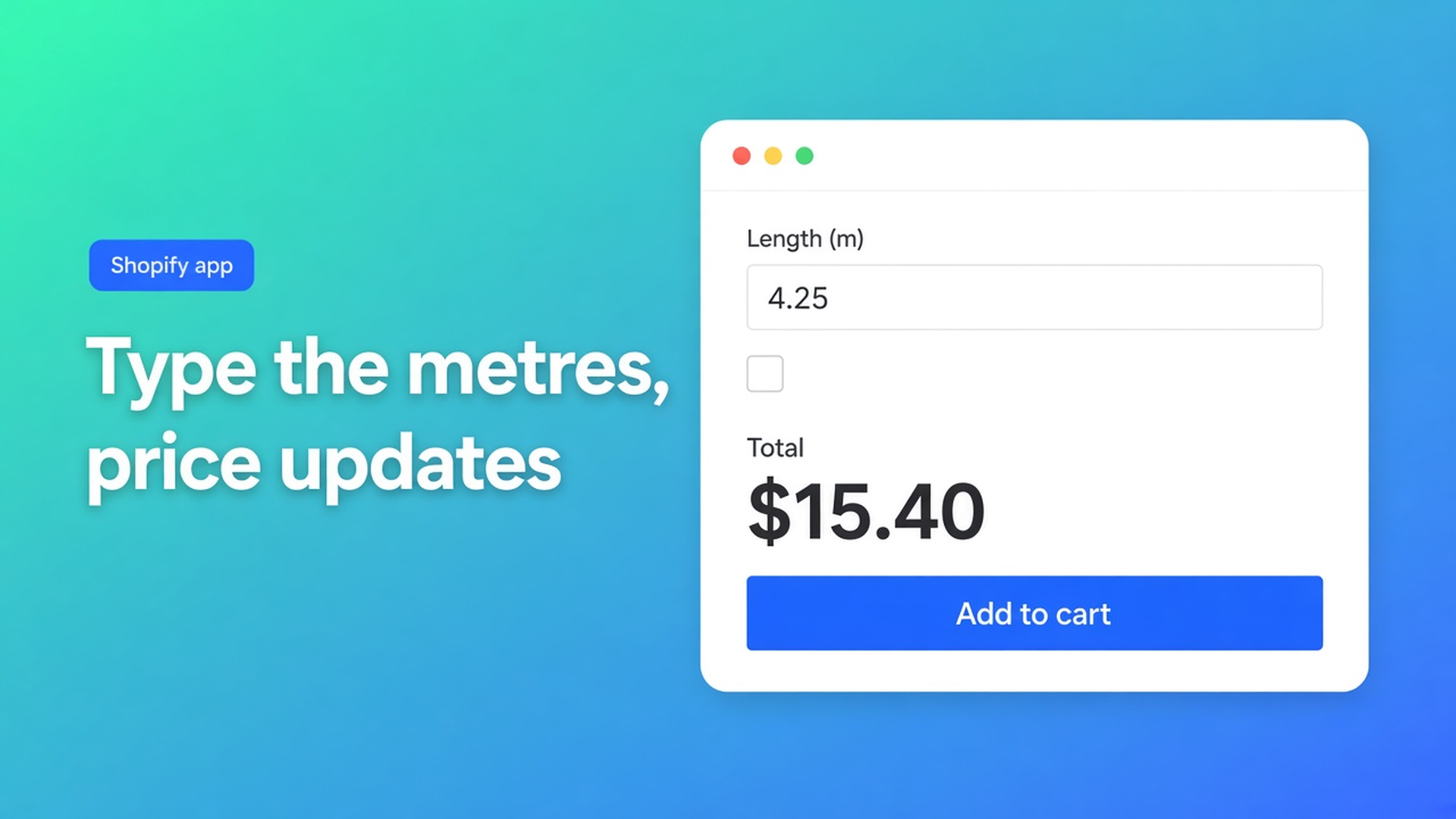
Shopper picks coyote / 50 mm (variant price $3.20 per metre), types `4.25`, ticks heat-seal: `3.20 * 4.25 + 1.80 = 15.40`. Same figure on the page and in checkout. Fulfilment reads the metres on the line item — no separate cut-list email.
Two different lengths in one order: Add to cart twice. Quantity 2 is two identical cuts. The calculator prices one cut; Shopify quantity multiplies that line.
Link the calculator to the variants with Linking Products & Variants. One calculator for the whole range is enough when only `product_price` changes. A different unit (roll vs sheet per m²) needs a second calculator.
What you need to go live
Install Options Price Calculator. Free: 20 uses (always free on Develop). Starter $9.99/month. Premium $14.99/month if you need a minimum charge or length tiers.
Drop the app block on the product template, below the price and above Add to cart — How to Add the Extension to the Product Page.
Create the number input in the unit your shopper thinks in (m or mm). Set min/max to what your roll or cutter can do. Leave “Is quantity input” off.
Keep colour, width and collection as Shopify variants. Do not add length as an option.
Test: switch variant, type 4.25, check live price, fee, checkbox and cart.
Server-side price validation (app setting) stops the browser-only total from being trusted. Theme bindings exist because selectors differ by theme — not “works everywhere with no setup”.
Wrap-up
Shopify number field length pricing is not a centimetre SKU grid and not Quantity pretending to be metres. It is length × rate on a calculator attached to real product variants. Native Shopify stops at three options and 2048 variants; continuous metres belong in the number field.
Put the field in Options Price Calculator and let the next shopper check out 4.25 m without a quote.

Custom webshops, websites, and applications combined with smart online marketing to help your business grow online!


Reviews
5/5
Mail: info@onlineorigins.nl
Tel: 073 234 0612
KVK: 89825624
BTW: NL865123639B01
Bruistensingel 500,5232 AH 's-Hertogenbosch Cookies
© 2026 Online Origins