
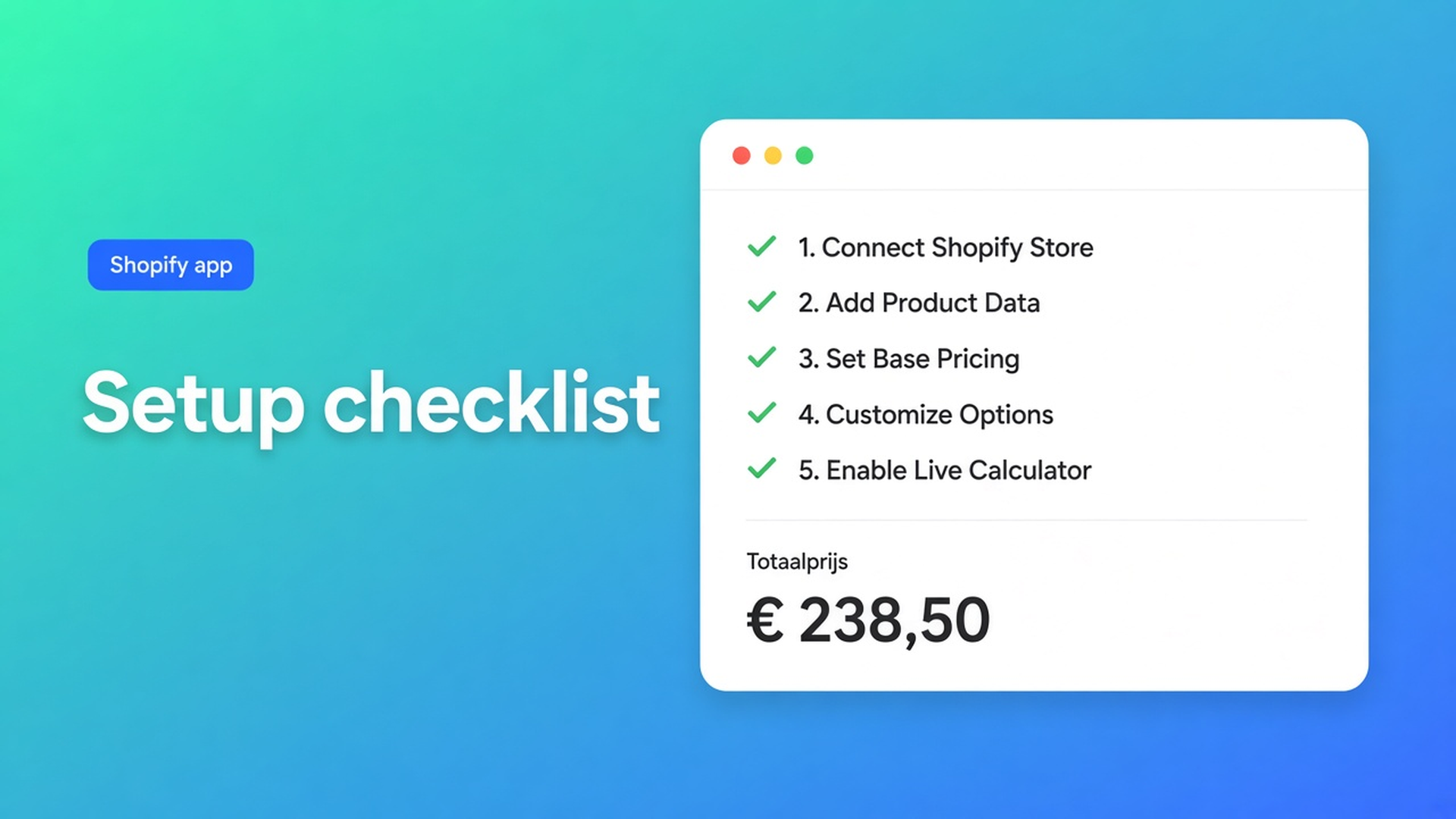
Shopify price calculator setup checklist
You clicked Install app. The home screen of Options Price Calculator still shows open items. On the live product page, shoppers still see Shopify’s catalogue price. That is expected. A Shopify price calculator setup checklist is not a marketing extra — it is the five jobs the dashboard tracks after install, and it will keep highlighting whatever you skipped.
Shopify does not inject an app into Liquid for you. How to install ends with a first-configuration list, not with “you’re live.” Related reading: adding the calculator in the theme editor. This article is the rest of the chain: calculator, variant link, App settings, a cart that actually charges the formula.
Shopify will not finish the product page for you
Adding variants still caps a product at three options and 2048 variants. Colour and material fill that grid. Width in millimetres does not. Native line item properties also do not change the price. If you need `product_price + (width * height)`, you need fields and a formula — and a place on the template to render them.
Listing (4 Nov 2026): Built for Shopify, 5.0 from 29 reviews. Free — 20 uses. Starter $9.99/month: unlimited options, AI, formula builder, metafields, styling, multilingual. Premium $19.99/month: conditional logic, font picker, live preview, price breakdown, lookup tables. $39.99/month: show/hide fields, draft-order checkout. USD.
None of those plans places the block. Shopify’s own app blocks guide says you add, move, and save them in the theme editor. Switch the published theme and the block is gone until you add it again.
Support tickets that start with “the app doesn’t work” usually mean: no block, no variant link, or selectors from a previous theme.
Three ways to look finished without being live
Plan only. You picked Free or Starter. The builder is empty. Unlinked variants keep behaving like ordinary Shopify products. That is by design.
Builder only. Width, height, a tidy formula, saved. The app preview looks right. The storefront has nowhere to mount the fields because the theme app extension was never added — or it sits on Default product while the collection uses another template.
Dawn selectors on a custom theme. Price lives in a different node. Add to cart is a drawer button, not `product-form`. The formula runs; the visible price does not. App settings exist so you can pick the real nodes instead of guessing CSS.
The dashboard is the shorter path: close the gaps it flags, then prove the cart with a test order.
Work the five dashboard items in order
From Dashboard & setup checklist:
Put the extension on the product template. Online Store → Themes → Customize. Page selector: Products → Default product, or the template your made-to-measure SKU actually uses. Add block → Apps → Options Price Calculator. Sit it under the price, above Add to cart. Save. Then open the storefront, not only the editor. Placement steps are short; skipping Save is the usual miss.
Create at least one calculator. Drag fields, or let AI draft them on Starter and above (Free includes a limited AI trial). A formula such as `product_price + (width * height)` belongs here. The theme never stores it. One calculator is enough to unblock the rest of the list.
Link it to variants. Assignment is always per variant. One calculator per variant at a time. A single-variant product is just that one row. On Link calculator forms, open Calculator form, pick the calculator, save. Missing new SKUs? Refresh product data. Leave a variant unlinked and that variant stays a normal product page even if the block is present.
Customers who switch variants pick up the calculator tied to the new variant. Use that when cotton and linen do not share a tariff.
Confirm App settings selectors. Paste a typical product URL into Storefront Theme Bindings. Run Pick price and Pick add to cart. First matching selector wins; you can keep fallbacks on extra lines. After a theme change, run the pickers again — bindings do not migrate.
The install article also suggests turning on server-side price validation. It is not one of the five dashboard ticks. It is the safety switch so checkout does not trust a client-only `__ooCustomPrice`.
Place a test order on a draft theme or a test product. Fill dimensions, watch the price, add to cart, check out, read the confirmation. Line item properties should carry the inputs. The charged amount should match the formula. A green dashboard does not prove every template has the block; test the template shoppers use.
Walkthrough: fabric by the metre
“Cut & Bolt” sells cotton by the centimetre. Native variant: colourway (real SKU). Length is a Number field. Formula: `product_price + (lengte * tarief)`. Optional cutting fee as a checkbox.
First pass: calculator linked, block on Default product, live theme is a heavily forked Dawn. Price in the app preview updated. Storefront price did not. Add to cart used the catalogue metre price.
Fix, dashboard order:
Customize the published theme. Template for fabric products. Block under the price.
Calculator already existed.
Refresh product data. Every colourway on the same calculator.
Product URL of a live fabric page. Pick the price shoppers see, not a hidden compare-at node. Pick the actual Add to cart control.
Draft product. Order for 340 cm. Confirmation line shows length and cutting fee; total matches the formula.
Only then duplicate the block onto any second fabric template.
For selector detail after a theme swap, see theme bindings.
Start on the plan you will actually test
Install from the Options Price Calculator listing. Free is enough for twenty calculated orders, and it stays unlimited on a Shopify development store. Move to Starter when you need unlimited uses and more than a single AI pass. Take Premium when conditional pricing, live preview, or lookup tables are part of the first calculator — not because the checklist requires them.
Then refuse to skip the test order. A visible block with the wrong selector still charges the catalogue price.
Close
The Shopify price calculator setup checklist is the shortest path from Install app to a cart that uses your formula: extension on the right template, one calculator, variant links, selectors for this theme, one test order. The dashboard highlights what is still open. Shopify itself will not grow past three options and 2048 variants, and it will not place the block for you.
Finish the list in Options Price Calculator before a shopper orders three metres and pays for one.

The Shopify Select partner for ambitious e-commerce businesses that want to grow!


Services
Reviews
5/5
Mail: info@onlineorigins.nl
Tel: 073 234 0612
KVK: 89825624
BTW: NL865123639B01
Bruistensingel 500,5232 AH 's-Hertogenbosch Cookies
© 2026 Online Origins