
Shopify live price calculator: show the total as customers type
Shoppers who configure made-to-measure goods do not want a static price tag while they type width and height. They want the number on the page to move with every input — and they want checkout to charge that same number. A Shopify live price calculator is that feedback loop: collect dimensions and choices on the product page, recompute a total in real time, and push a payable line into the cart.
Shopify’s native model does the opposite. Variants are SKUs with fixed prices. You can paint a calculated total with theme JavaScript, but the cart still bills the variant unless you add a Cart Transform or an app that already ships one. Merchants keep rediscovering the gap: custom product calculators for tablecloths, square-inch pricing that should auto-calculate, JS that updates a canvas price but not checkout.
This article separates a pretty widget from a real Shopify live price calculator, shows what the platform will not compute, and walks through how Options Price Calculator wires fields, formulas, and theme price selectors — including what belongs on Premium (price breakdown, live visual preview).
Why the product-page price will not “just update”
Shopify Help Adding variants still caps a product at three options and 2048 variants. The variant ceiling rose from 100 to 2048 in October 2025 (changelog). That helps finite catalogues. It does not evaluate `width * height * rate`. Continuous millimetre inputs are not SKUs, and a fourth choice (coating, mounting, file) does not fit once Size, Color, and Material are taken.
So you need two jobs done on one template:
Collect inputs (numbers, selections, uploads).
Apply a formula to the cart line, not only to a `<span>` under the title.
Developers hit the same wall in How do I calculate product price based on dimensions in inputs?: the UI shows a live total; checkout ignores it. Theme line item properties (`properties[Width]`) store text for fulfillment. They do not change price — we covered that in line item properties do not change price.
What merchants try instead
Display-only calculators
Embed a third-party widget or paste Custom Liquid that multiplies two fields. The amount on screen updates; Add to cart still posts the variant. Community replies are blunt: you need an app or a Shopify Function to manipulate the payable price. Anything less is theatre.
Giant variant matrices
Encode every width × height cell as a SKU. Even with 2048 slots you maintain a spreadsheet in a dropdown, invent meaningless inventory, and still cannot accept free-typed sizes. That is enumeration, not a live calculator.
Quantity hacks and range variants
Some threads suggest treating quantity as the measured amount, or matching sliders to price bands. Fine for “donate any amount” patterns; brittle for precise cut-to-size work, Markets, and discounts.
Manual quotes
Safe for complex B2B, fatal for self-serve. Every “what does 240 × 110 cost?” becomes email instead of revenue.
How Options Price Calculator makes the total move
Options Price Calculator is a Built for Shopify app: unlimited product options, formula-based dynamic pricing, no extra variants for every combination. Customers configure the product and see real-time price updates; the calculated amount is what the cart uses. Setup is no-code: theme app block, drag-and-drop fields, formula, product linking.
Fields become live variables
Build number inputs, dropdowns, swatches, checkboxes, file uploads, and more. Each field key is a formula variable. Per Variables and Field Values, values update dynamically as the shopper interacts. Checkboxes resolve to their configured value or `0`. Dropdowns resolve to the selected option’s numeric value. `product_price` always equals the currently selected variant price — switch SKU, base changes.
The formula feeds the visible total
The formula builder evaluates a numeric expression with `+ − × ÷` and parentheses. Docs examples:
``` product_price + (width * height) ```
``` product_price + 25 + (width * height) ```
``` product_price * material_type ```
Round once at the end with `Math.round` / `Math.ceil` / `Math.floor` as needed. For a deeper pass on expressions, metafields, and computed properties, see formula based pricing on Shopify. The live-price point is simple: the storefront total is the formula result.
Point the app at your theme’s price element
Themes hide the price in different markup. The Selector Picker opens your product page so you can click the price (and Add to cart). The app writes the CSS selectors. After a theme change, re-run the pickers so updates still land on the right node. Pick product image is for the Premium personalizer overlay — useful later, not required for a live total.
Place the extension, then link variants
Follow How to Add the Extension to the Product Page: Theme Editor → product template → Add block → Options Price Calculator, ideally below the price and above Add to cart. Link calculators at variant level via Linking Products & Variants. Verify on the storefront: change an option, confirm the price moves.
Validate server-side
Storefront calculators write a custom price property; with server-side price validation enabled, the cart transform checks a signed payload so tampered browser prices are rejected. Turn it on after you have tested the happy path end to end.
Starter vs Premium for “live”
Real-time total updates from options + formulas are core (Starter includes unlimited options, the advanced formula builder, AI-assisted generation, multilingual support). Premium ($14.99/mo) adds:
Real-time price breakdown (table or text) so shoppers see the parts of the total;
Conditional pricing / conditional logic;
Product Personalizer live preview on the product image;
Font picker and premium support.
Do not market breakdown or visual preview as free. The Free plan covers 20 uses; stores on Shopify’s Develop plan stay free per the listing.
Worked example: cut-to-size film or fabric
A window-film merchant prices by area plus a setup fee. Fields: `width`, `height` (cm → convert in the formula if your rate is per m²), optional `material_type` multiplier. Starting from the official pricing examples:
``` product_price + 25 + (width * height) ```
Add rounding for currency display:
``` Math.round((product_price + 25 + (width * height * material_type)) * 100) / 100 ```
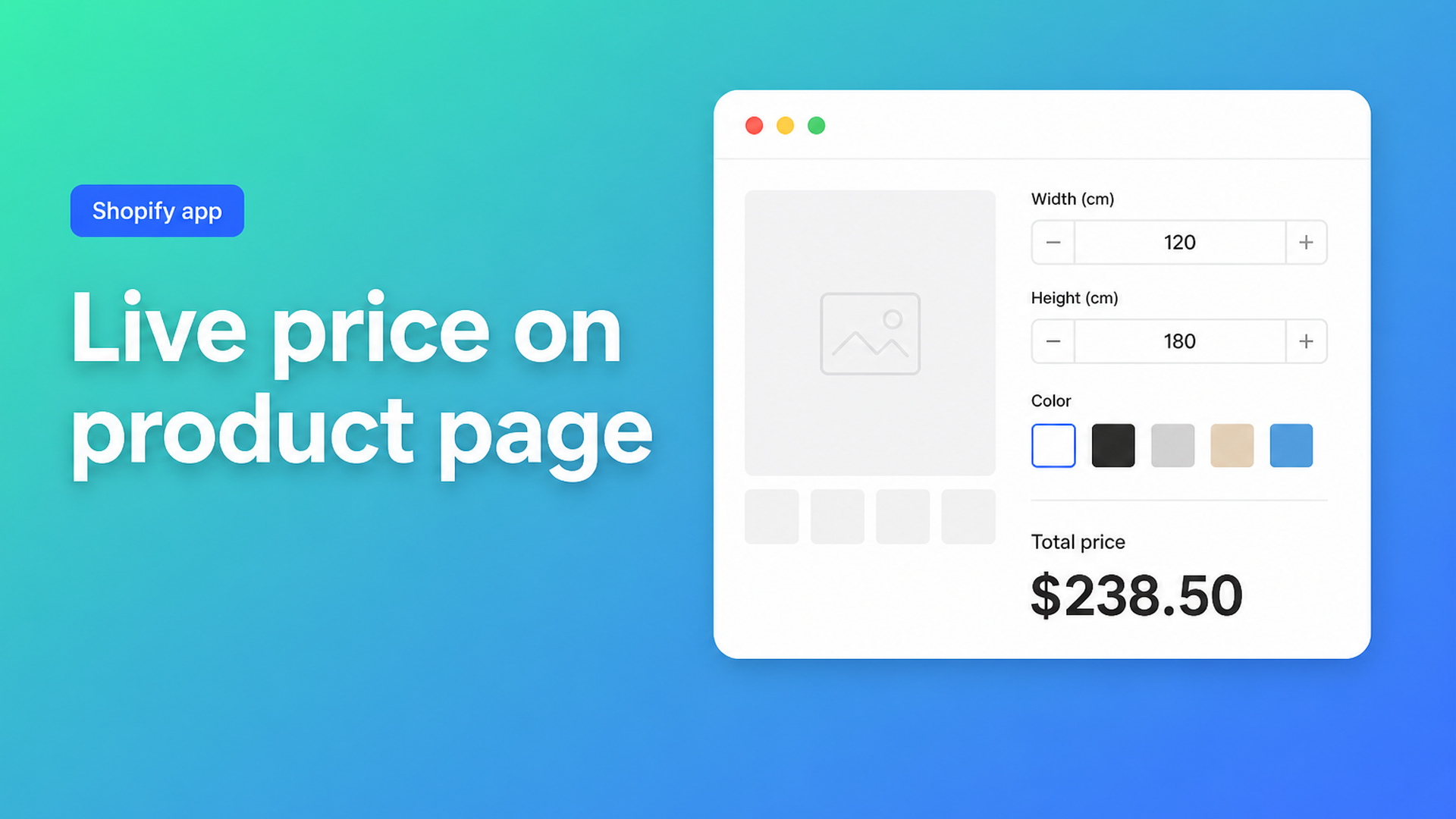
The shopper types 120 and 180, picks a film grade, and watches the total update before they hit Add to cart. Fulfillment reads the measurements from the line; you can also surface option data in the order confirmation email from the app settings. Same pattern works for fabric by the metre, engraving add-ons, or upload fees — the live total is what turns browsing into buying.
If you need “above 200 cm, raise the rate” or a hard floor price, that is Premium conditional pricing — covered separately in Shopify conditional pricing.
What you need to go live
Install Options Price Calculator.
Add the app block to the product template.
Create fields and a formula; preview with sample values.
Link the calculator to the product/variant.
Run Pick price and Pick add to cart.
Enable server-side validation once the flow is solid.
Optionally upgrade to Premium for breakdown or visual live preview.
Listing check (August 2026): 5.0 from 22 reviews; Free / Starter ($9.99) / Premium ($14.99), billed in USD.
Closing
A Shopify live price calculator is not a decorative number under your title. It is a formula the customer can trust on the product page and that checkout will actually charge — without inventing a variant for every millimetre. Native Shopify stops at three options and fixed SKU prices; display-only widgets and line item properties leave a hole. Options Price Calculator closes it: type → total moves → cart matches.
Ready to put a live total on your product page? Install Options Price Calculator and run one product through to checkout today.

The Shopify Select partner for ambitious e-commerce businesses that want to grow!


Services
Reviews
5/5
Mail: info@onlineorigins.nl
Tel: 073 234 0612
KVK: 89825624
BTW: NL865123639B01
Bruistensingel 500,5232 AH 's-Hertogenbosch Cookies
© 2026 Online Origins