
Shopify acrylic sheet cut to size: thickness as a SKU, millimetres as fields
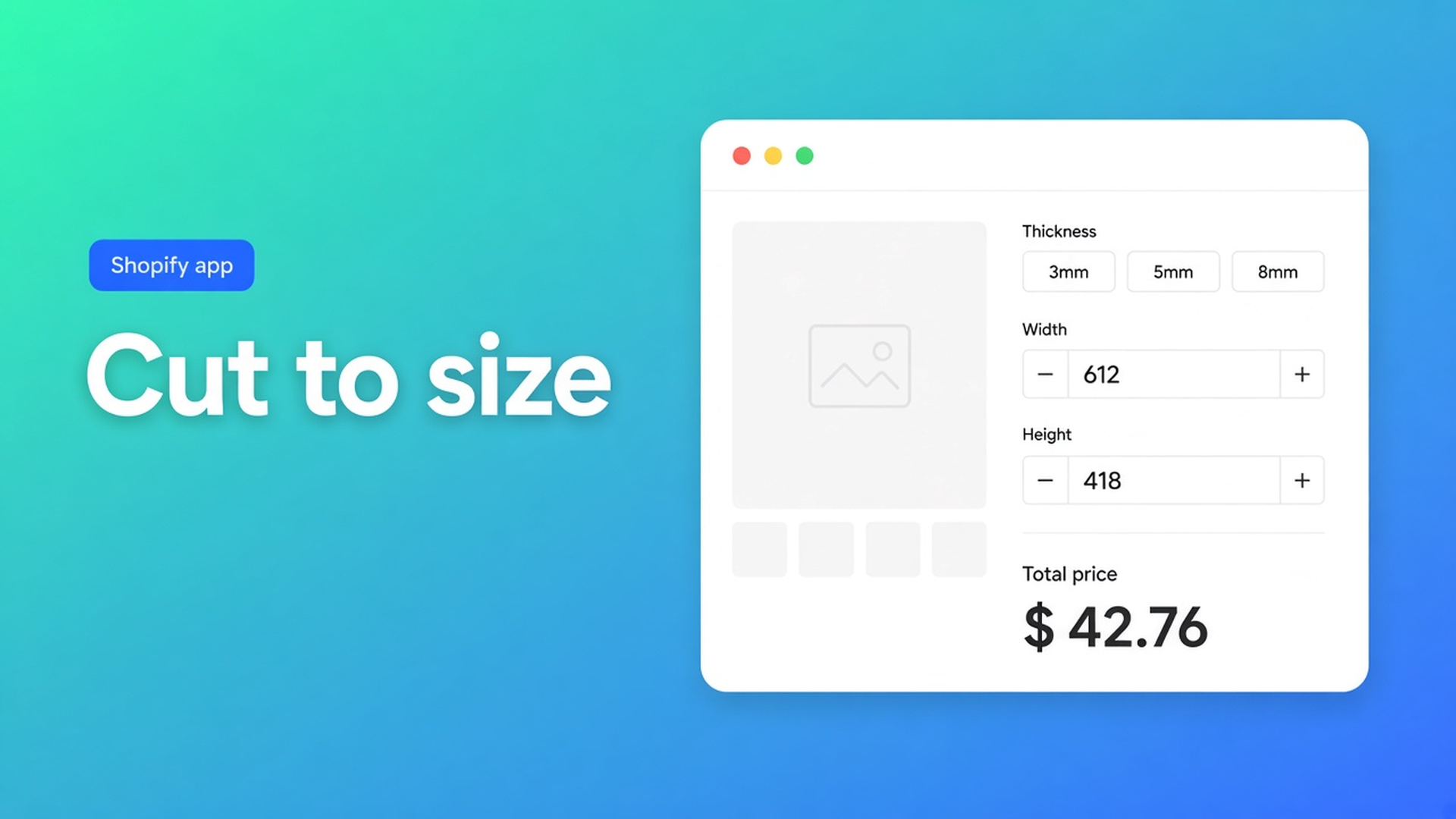
A shopper needs 612 × 418 mm of 5 mm clear acrylic, edges polished. You stock 3, 5 and 8 mm sheets — not a catalogue of every cut. Searching Shopify acrylic sheet cut to size usually means that split: thickness stays a real SKU, the saw dimensions are numbers, and the price has to move on the product page. A quote after they email the drawing is the old workflow.
Shopify variants do not store a continuous millimetre. Theme line-item properties (`properties[Width]`) sit on the order line and do not change the price. Options Price Calculator keeps thickness on the variant, puts width and height in number fields, and runs `product_price × area` before Add to cart.
That is not cut-to-length metal (one axis) and not carpet plus a cutting fee (roll goods). Sheet stock is two cut sizes, a rate per thickness, optionally a polish add-on. Floors and caps in the same expression live in Math.min and Math.max. This article is the product shape.
Variants hold the sheet. They do not hold the saw.
Adding variants caps a product at three options and 2048 variants. The old 100-variant ceiling is gone. The three-option ceiling is not. Thickness, colour (clear / opal / smoke) and finish (standard / UV) already fill it. Every extra centimetre as a variant is a SKU nobody picks.
What native *does* well: inventory per thickness. What it will not do: 612 × 418 mm as cells in a matrix, or price = width × height × rate without a variant per cell. That is the formula.
Line-item properties keep the millimetres on the line. Checkout still charges the fixed variant price. You end up typing the cut list from the inbox.
Workarounds shops try until the quote comes back
A dropdown of A4 / A3 / 100 × 50
Fine until someone needs 612 mm and buys A2 — or emails. You will not blow the 2048 cap. You also will not sell a real saw cut.
Quantity as “number of 1 m² sheets”
Shopify quantity is a whole number. The cart says “2 items”. The saw never sees 612 × 418. Inventory and shipping weight lie.
A contact form after they attach a DXF
It works. It is slow. There is no live price. The listing for this app is built for made-to-measure products without extra variants or manual quotes.
None of those paths: thickness as a SKU, two number fields, a live total, Add to cart.
Put millimetres in number fields, not in option values
Options Price Calculator is Built for Shopify (5.0 from 26 reviews). Unlimited product options — the listing names Numbers, Dimensions, Checkboxes, Dropdowns, file upload — plus formulas, without extra variants. Starter $9.99/month: unlimited options, formula builder, metafields, multilingual, AI. Premium $14.99/month: + conditional logic, Font Picker, live preview, price breakdown. Free: 20 uses; always free on a Shopify Develop plan. Billed in USD.
Keep Thickness (3 / 5 / 8 mm) as a native variant. Put the per-m² rate on that variant so 5 mm costs more than 3 mm. `product_price` is always the current variant. Change thickness, the rate follows.
Two Number Input fields:
Label `Width (m)`, placeholder `e.g. 0.612`, key `width`
Label `Height (m)`, placeholder `e.g. 0.418`, key `height`
Keys: lowercase letters, digits, underscores only. Required field on — no measurement, no Add to cart. Allow negative values off. Always set Minimum and Maximum; the docs call this out, otherwise someone types 8 mm or 12 m. Their example uses min `10` and max `300` in your unit. Use metres if the rate is per m², or convert millimetres in the formula.
Leave Is quantity input off. Quantity is how many sheets, not the cut. Only one number field per calculator may act as quantity.
Pricing / Formula Examples example 1 is `product_price + (width * height)`. For sheet acrylic the rate is usually the variant price per m², so multiply:
``` product_price * width * height ```
Add a cutting fee the way example 5 does:
``` product_price * width * height + 12 ```
`12` is the cutting charge in the shop currency. A Polished edges checkbox: checked = configured number, unchecked = `0` — same rule in Variables and Field Values:
``` product_price * width * height + 12 + polish ```
File upload for a DXF or PDF of the contour is on the listing; example 9 adds the field’s numeric value when a file is present. Do not promise live preview of the cut — Product Personalizer is Premium.
Operators: `+ - × ÷ ( )`. Round at the last step (Formula Builder). A custom variable `area` as `width * height` keeps the main formula readable. Conditionals (a floor, a surcharge above 2 m) are Premium — label them.
This is not unlimited Shopify variants, and it is not inventory per millimetre. The SKU stays the sheet. The cut stays input.
Example: clear acrylic, three thicknesses, polish as a tick
Product: clear acrylic. Native options: Thickness (3 / 5 / 8 mm) and Colour (clear / opal). Two options, under the cap of three. Variant price = per-m² rate for that thickness. Shopper types width and height in metres. Cutting fee €12. Polish +€8.
Number fields `width` and `height`. Checkbox `polish` with numeric value `8`. Formula:
``` product_price * width * height + 12 + polish ```
Preview: 0.612 × 0.418 at 5 mm and €89/m² ≈ €22.76 + €12 = €34.76 without polish. With the tick, €42.76. A 0.01 × 0.01 offcut should not sneak through — set min/max on the fields, or a floor with `Math.max` (see the helpers article). An 8 × 3 m sheet with no maximum is a typo, not an order.
Theme app extension on the product page. Selector picker for price and Add to cart, because themes differ. Do not claim it works on every theme without setup. Link the calculator per variant; bulk linking if the same formula fits every thickness. Server-side price validation ships with the app.
AI-powered generation of options and formulas is on Starter+. Useful for a draft; you still check metres, the cutting fee, and the checkbox with preview values.
Get one sheet product live
Install Options Price Calculator. Built for Shopify, 5.0 (26).
Leave thickness (and colour) as native options. Do not put the saw cut in the variant matrix.
Two number fields for width and height. Required, min/max, no negatives. Quantity stays the sheet count.
Formula: variant rate × area, plus cutting fee, plus checkbox. Preview a scrap, a door panel, and an oversized rectangle.
Link per variant. Place the theme app extension. Selector picker for price and Add to cart.
Place a test order. Check the line, the millimetres, the money. No extra SKU.
A tier above 2 m², or a different factor when “8 mm plus polish” is selected, is Premium if/then. The basic sheet runs on Starter.
Wrap-up
Shopify acrylic sheet cut to size is not a grid of saw cuts and not a quote after the drawing. Thickness stays the stocked SKU. Width and height go in number fields. The formula shows the price before Add to cart. Native Shopify stops at three options and 2048 variants. The calculator fills in the continuous millimetre without minting extra SKUs.
Put the cut sizes in the formula builder in Options Price Calculator. After that, the order confirmation carries the same millimetres as the product page — not your inbox.

The Shopify Select partner for ambitious e-commerce businesses that want to grow!


Services
Reviews
5/5
Mail: info@onlineorigins.nl
Tel: 073 234 0612
KVK: 89825624
BTW: NL865123639B01
Bruistensingel 500,5232 AH 's-Hertogenbosch Cookies
© 2026 Online Origins