
Shopify banner printing price calculator: size, material and finishing without extra variants
A Shopify banner printing price calculator is what print shops reach for when the inbox fills up with “can you quote 8 × 3 ft mesh, hemmed, with grommets?” The customer already knows the size. You already know the rate per square metre (or square foot), the material multiplier, and the finishing fee. Native Shopify has nowhere to put that: three variant options, a SKU cap, and no continuous centimetre field.
This piece is for sign makers, wide-format printers, and print-on-demand stores that cut vinyl, mesh, and fabric banners to order. You’ll see why a grid of stock sizes collapses, why a Liquid widget that *shows* a total does not *charge* that total, and how Options Price Calculator puts width, height, substrate, finishing, and artwork upload on one product page.
We covered Shopify price per square meter as the general pattern. This article is one vertical: banners, including vinyl vs mesh and hem/grommet charges.
Why banners do not fit Shopify variants
Shopify Help Adding variants states the rules:
each product can have at most three options (for example Size, Color, Material);
each product can have at most 2048 variants.
The variant cap rose from 100 to 2048 in October 2025 (Shopify changelog). That helps a t-shirt with many sizes × colours. It does nothing for a banner. A typical order needs at least:
Width (continuous cm, mm, or feet)
Height (continuous)
Substrate (13 oz vinyl, 18 oz, mesh, fabric)
Finishing (hem, grommets, pole pocket, wind slits)
Artwork file (PDF or AI)
Optional: rush or double-sided print
Items 1 and 2 are not dropdown values. Items 3–6 already fill the three option slots. Turning every centimetre into a variant is a non-starter: 50–500 cm in 5 cm steps is 91 widths *before* height and material. Merchants have been asking for this in the community for years. In Custom product dimensions, price per square meter and cropping of graphics someone wants made-to-measure posters priced per m², with a floor price and customer-entered sizes. In What app do I need to be able to do this sequence? the same pattern shows up for signage: two dimensions in, a price out — without a variant per cell.
What print shops try instead
1. Stock sizes as variants
A0, 2 × 1 m, 3 × 1 m, 4 × 8 ft. Fine until the first 187 × 92 cm request. Your catalog balloons, feeds get noisy, and Size + Color + Material have used the three options — hem no longer fits.
2. Manual quotes
A rate card or a PDF calculator. Solid for B2B accounts, terrible for conversion: the shopper is already on the product page and has to wait. Half the requests never come back.
3. A front-end widget that does not change checkout
Liquid or an embed can print `width × height × rate` as text. Shopify still charges the variant price at checkout. That trap is spelled out in threads such as Custom product calculator: a number on screen is not the number the payment provider captures. Theme inputs named `properties[Width]` store the measurement on the line item and do not change the price.
How a formula actually updates the cart
Keep native variants for inventory SKUs. If 13 oz vinyl and mesh are different rolls in the warehouse, they can stay two variants — each with its own calculator. Anything that does not need its own stock row (free size, hem, file) belongs in option fields.
Options Price Calculator adds number inputs, dropdowns, checkboxes, and file upload on the product page and recalculates the price live. It is Built for Shopify, ships as a theme app extension, and is linked per variant. The formula builder supports `+ - × ÷ ( )`. Field keys become variables; an unchecked checkbox contributes `0`.
Area pricing is the first example in the pricing formula docs:
``` product_price + (width * height) ```
Keep units consistent. Let customers type metres, or convert centimetres in the formula (`width / 100`). Put the square-metre rate in `product_price`, or in the numeric value of a material dropdown.
Material as a multiplier (vinyl `1`, mesh `1.2`, 18 oz `1.35`):
``` product_price + (width * height * material_type) ```
Hem and grommets as a setup charge, plus an optional file-handling fee — the docs’ “setup fee + variable price” example combined with file upload:
``` product_price + 25 + (width * height * material_type) + file_upload ```
A file upload field contributes its numeric value times the number of files; with nothing uploaded the term is `0`. Mark the field required if you will not print without artwork.
Tiny banners (30 × 40 cm) fall below cutting and setup cost. That is what conditional pricing is for — a Premium feature. The docs example: if the formula lands under 100, charge 100. Same idea for oversized jobs: `width > 200` uses a higher rate (`× 1.3`). Do not present that as a Starter capability.
Live preview / Product Personalizer is also Premium. For most print shops the file on the order plus the typed dimensions matter more than an overlay on the product photo.
Example: 2.4 × 0.9 m vinyl banner
Say you charge €12 per m² for 13 oz vinyl. Mesh is 1.25×. Hem + grommets are a flat €18. File check is €10 when a file is attached.
Fields:
| Field | Type | Key | Value | |-------|------|-----|--------| | Width (m) | Number | `width` | min 0.4 / max 5 | | Height (m) | Number | `height` | min 0.3 / max 2 | | Material | Dropdown | `material_type` | Vinyl 1 / Mesh 1.25 / Fabric 1.4 | | Hem + grommets | Checkbox | `hem_grommets` | 18 or 0 | | Print file | File upload | `file_upload` | 10 per file |
Set `product_price` to 12 (the base rate) or to 0 and hard-code 12 in the formula. A 2.4 × 0.9 m vinyl banner with hem:
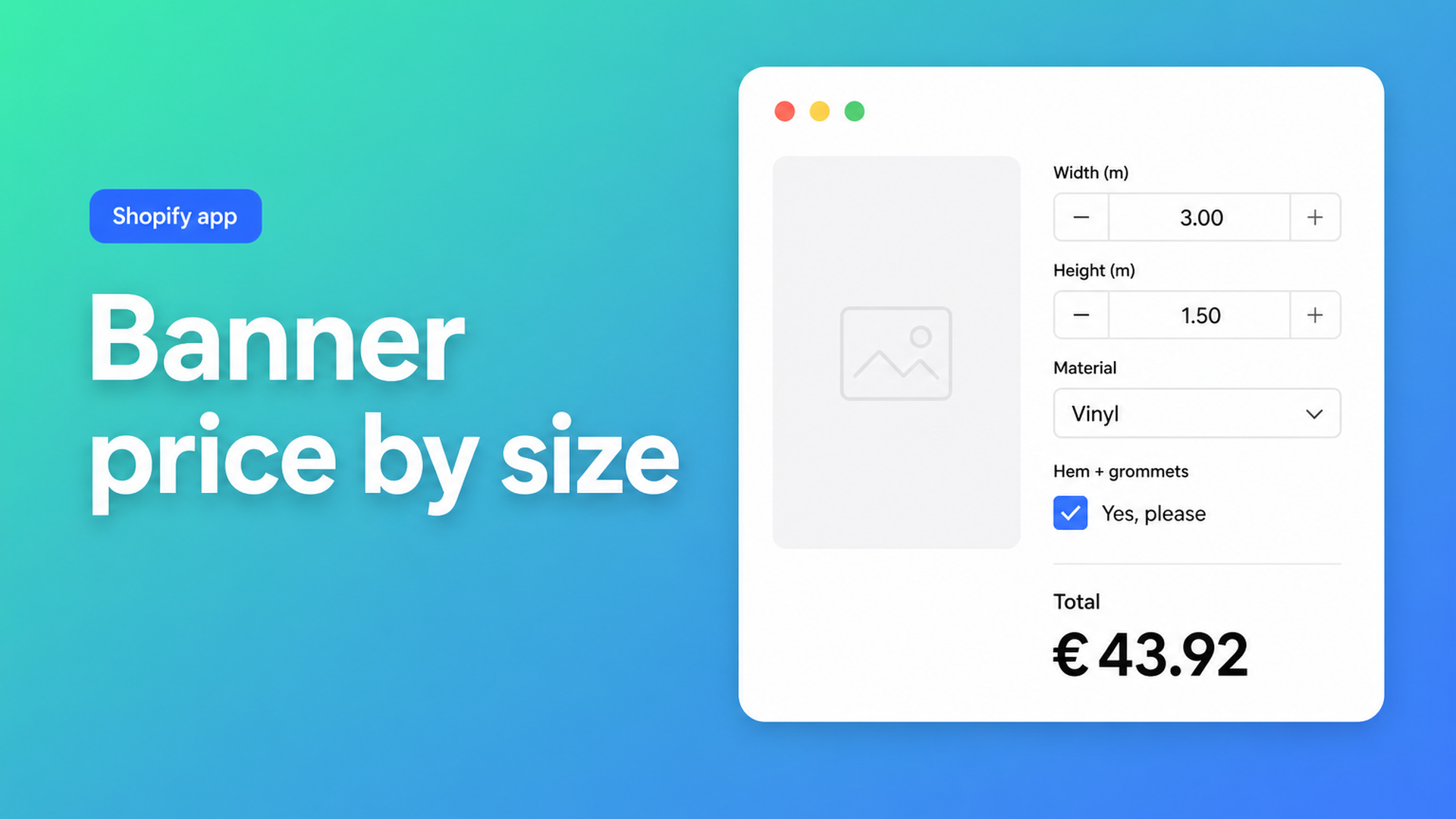
``` 12 * (2.4 * 0.9 * 1) + 18 → 25.92 + 18 = €43.92 ```
Same size in mesh: `12 * 2.16 * 1.25 + 18 = €50.40`. The total updates as the shopper types. Width, height, material, and the file ride along on the order so the RIP operator is not guessing.
Keep real SKU splits (indoor vs outdoor stock, for example) as Shopify variants. Link a calculator per variant when rates or fields differ; for a catalog of dozens of print SKUs use bulk linking.
US shops that quote per square foot can use the same shape: number fields in feet, rate in `product_price`, still `width * height * material_type`. Do not mix feet and metres in one formula.
What you need to go live
Install Options Price Calculator from the Shopify App Store. Free plan: 20 uses (always free on a develop store). Starter ($9.99/mo) for unlimited options, the formula builder, AI-assisted fields, and multilingual labels. Premium ($14.99/mo) if you need minimum prices, oversized rates, or live preview.
Add the app block on the product template, below the price and above Add to cart — see How to Add the Extension to the Product Page. Themes differ; run the selector picker for price and Add to cart afterwards.
Create the five fields above. Test the formula with preview values (2 × 1 m, mesh on, file on).
Link the calculator to the banner variant. Confirm the storefront total matches the cart.
Turn on server-side price validation in app-wide settings so checkout does not trust a browser-only number. Optionally add the configuration to the order confirmation email.
The listing is 5.0 from 22 reviews (checked 28 August 2026). A Spanish merchant describes this exact job: sell by length or area, show the fields on the product page, and have the cart follow.
Wrap-up
A Shopify banner printing price calculator is not another Size column in admin. Three options and 2048 variants are built for SKU combinations, not every centimetre of vinyl. A product-page label that reads “€43.92” without updating the cart is not a calculator.
Put width, height, material, and finishing in a formula, attach the artwork, and let customers check out instead of waiting on a quote. Start with Options Price Calculator.

The Shopify Select partner for ambitious e-commerce businesses that want to grow!


Services
Reviews
5/5
Mail: info@onlineorigins.nl
Tel: 073 234 0612
KVK: 89825624
BTW: NL865123639B01
Bruistensingel 500,5232 AH 's-Hertogenbosch Cookies
© 2026 Online Origins