
Shopify CSV import empty cells leave existing customer fields alone
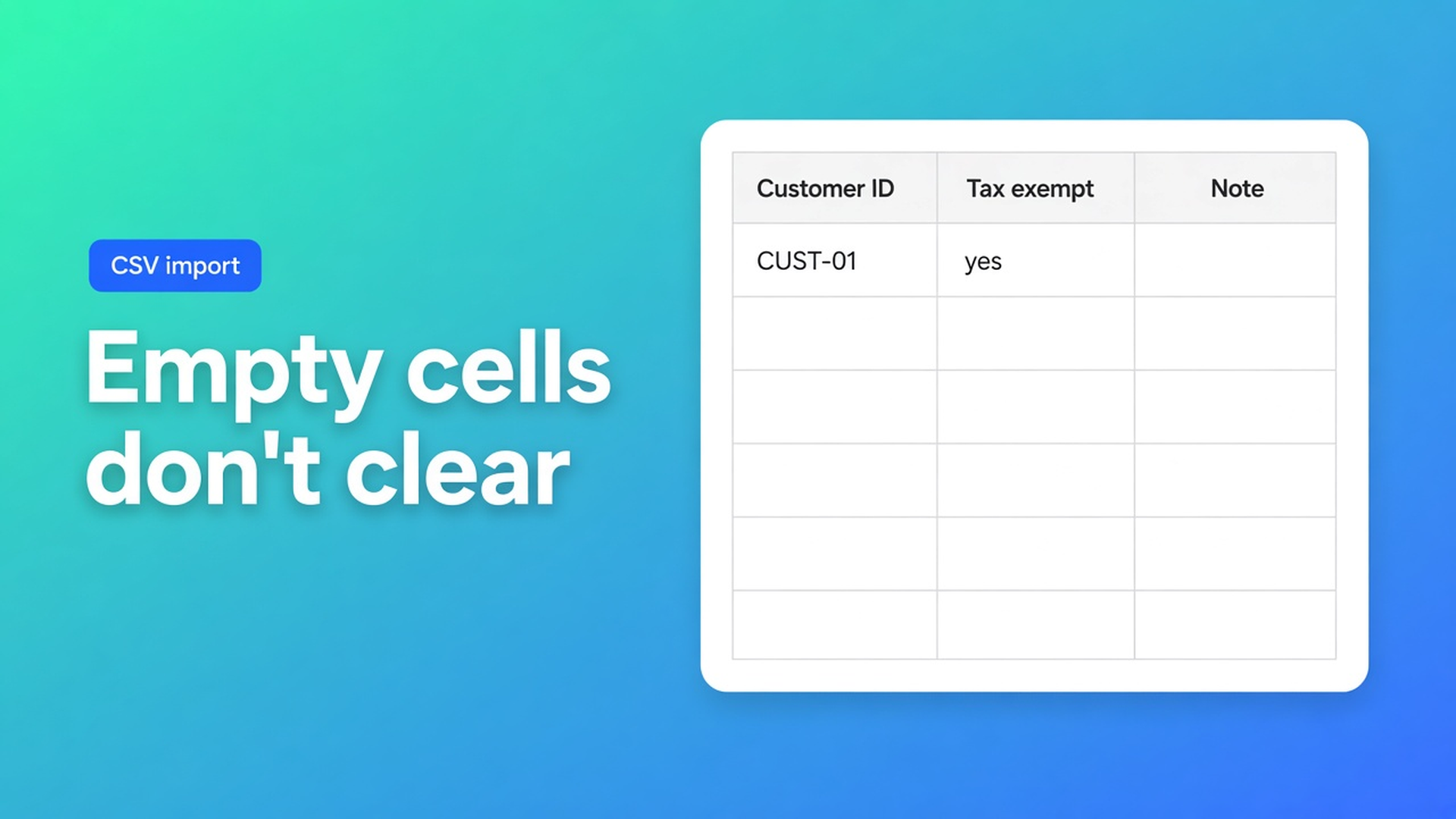
You need tax exempt on 180 wholesale accounts. The sheet has Customer ID, Email, Tax Exempt = `yes`. Every other column is blank. Native Shopify import with Overwrite on treats a blank Note as a blank note — it replaces what was there. In OO - Bulk Customer Data Editor, Shopify CSV import empty cells on an *update* mean skip. Only cells with a value are applied. That is the documented contract, not a quirk.
The full import walkthrough already covers preview and matching. This article is the blank cell: useful when you only want locale or tax exemption touched, dangerous if you thought blank meant delete.
Shopify overwrite means replace the profile
Importing and exporting customer lists: tick Overwrite for the same email or phone and all of that customer data is replaced, including import tags. File cap 15 MB. Tax Exempt accepts `yes` / `no`. Customer Locale is not a native bulk column. Address, phone, or tax exempt in the standard editor: one profile at a time, or a CSV.
A “thin” export with an empty Note column is not “leave the note” under native overwrite. It is an empty note written over the old one if that header ships and overwrite is on. Support comments vanish in one job.
Admin bulk edit reaches First name, Last name, Tags, Email, Accepts email marketing, plus metafields. The listing of this app calls out Customer Locale and tax-exemption status as the fields that editor handles poorly in bulk. Those are the columns you often want *alone*. Everything else should sit still.
What teams try until a note disappears
Blank columns to “clean the junk”. In Sheets, empty looks like nothing. On an update in this app, empty is do not change. The import article: empty cells are left unchanged; only filled cells are applied. The FAQ repeats it. Tags you hoped to strip are still there tomorrow.
Native overwrite “so the sheet is source of truth”. Source of truth includes headers you accidentally left empty.
Email + tax exempt, no Customer ID, same shop. Match order: Customer ID in *this* store → else Email → else create (email or phone required). Email works until two profiles share it or the address changed. For a same-store tax-exempt pass, keep the ID from the export.
Closing the tab while the bar runs. Large imports batch. Keep the tab open. Closing interrupts the job — same FAQ as the empty-cell rule.
None of that replaces: a skinny CSV, IDs kept, only the columns you mean to set, Preview, then confirm.
Blank skips. A value writes.
OO - Bulk Customer Data Editor is Free. No reviews on the listing yet. Spreadsheet editor in admin. Bulk-edit locale and tax-exempt, plus tags, note, consent, address, metafields defined on the shop. Excel and Google Sheets via CSV. Select-all matching up to 50,000. Read-only columns (total spent, order count, created date) will not reset from a blank cell either.
Import steps:
Customers in the app → Import
Upload `.csv`
Preview import
Confirm. Batches; tab stays open
Failed or skipped rows: Import results summary
Formats: this app’s export, or Shopify’s standard customer CSV (First Name, Email, Accepts Email Marketing, Default Address …). Yes/no marketing values map to subscribed / unsubscribed. Consent still follows Shopify: subscribed needs a valid opt-in. Blank is not unsubscribe.
When you want the blanks
Second pass after a migration: addresses are fine, locale is store-default, tax exempt is off. Export. Fill Tax Exempt (`yes`) for the wholesale rows, Locale where mail went out in the wrong language. Leave Note, Tags, Address empty. Customer ID in the file. Re-import. The rest of the profile stays.
Same job without a file: filter tax exempt = no, tag Wholesale → select-all matching (cap 50,000) → bulk apply yes → Save. CSV is optional. The grid is enough.
When blank will not do the job
Clear a note, drop a tag, turn tax exempt off: an empty update cell will not. Write the new value, or bulk-apply in the editor. There is no documented “clear column” via CSV.
Creates are different. If ID and email miss, step 3 inserts a new customer. Empty cells on that *new* row are simply empty fields. The skip-on-empty rule is for updates.
Worked pass: tax exempt only, 180 rows
Export from the app. Keep Customer ID. In Excel: Tax Exempt `yes` on the wholesale list. Locale, Note, Tags, address columns blank. Save CSV.
Import → Preview. Expect 180 updates, 0 creates. No “note will be cleared”. Confirm, leave the tab. Then filter in the grid for Wholesale + tax exempt still no — fix those with bulk apply, not with a second sheet that thinks like native overwrite.
Shop-to-shop: IDs from store A do not exist in B. Match falls back to email. Blanks still help: you set locale in B without stomping addresses B already had. A’s ID column is not an update key there.
Do not pitch another app. CTA stays this listing.
Get it done
Install OO - Bulk Customer Data Editor. Free.
Export the set you will touch. Keep Customer ID for a same-store re-import.
Fill only the columns that must change. Leave the rest empty.
Import → Preview → confirm. Tab open until batches finish.
Check the grid: notes and tags still there, tax exempt / locale set. Clearing happens in the editor, not via a blank cell.
If Shopify blocks protected customer data, editing stays limited until access is approved. Segments need Shopify segment permissions. Both are FAQ, not CSV tricks.
Close
Shopify CSV import empty cells do not wipe fields on an update. Only filled cells land on the profile. Native overwrite replaces. Use the blanks to set locale or tax exempt without touching notes — and do not expect empty to mean delete.
Drop the thin CSV in OO - Bulk Customer Data Editor and let the next tax-exempt pass leave the rest of the customer alone.

Custom webshops, websites, and applications combined with smart online marketing to help your business grow online!


Reviews
5/5
Mail: info@onlineorigins.nl
Tel: 073 234 0612
KVK: 89825624
BTW: NL865123639B01
Bruistensingel 500,5232 AH 's-Hertogenbosch Cookies
© 2026 Online Origins