
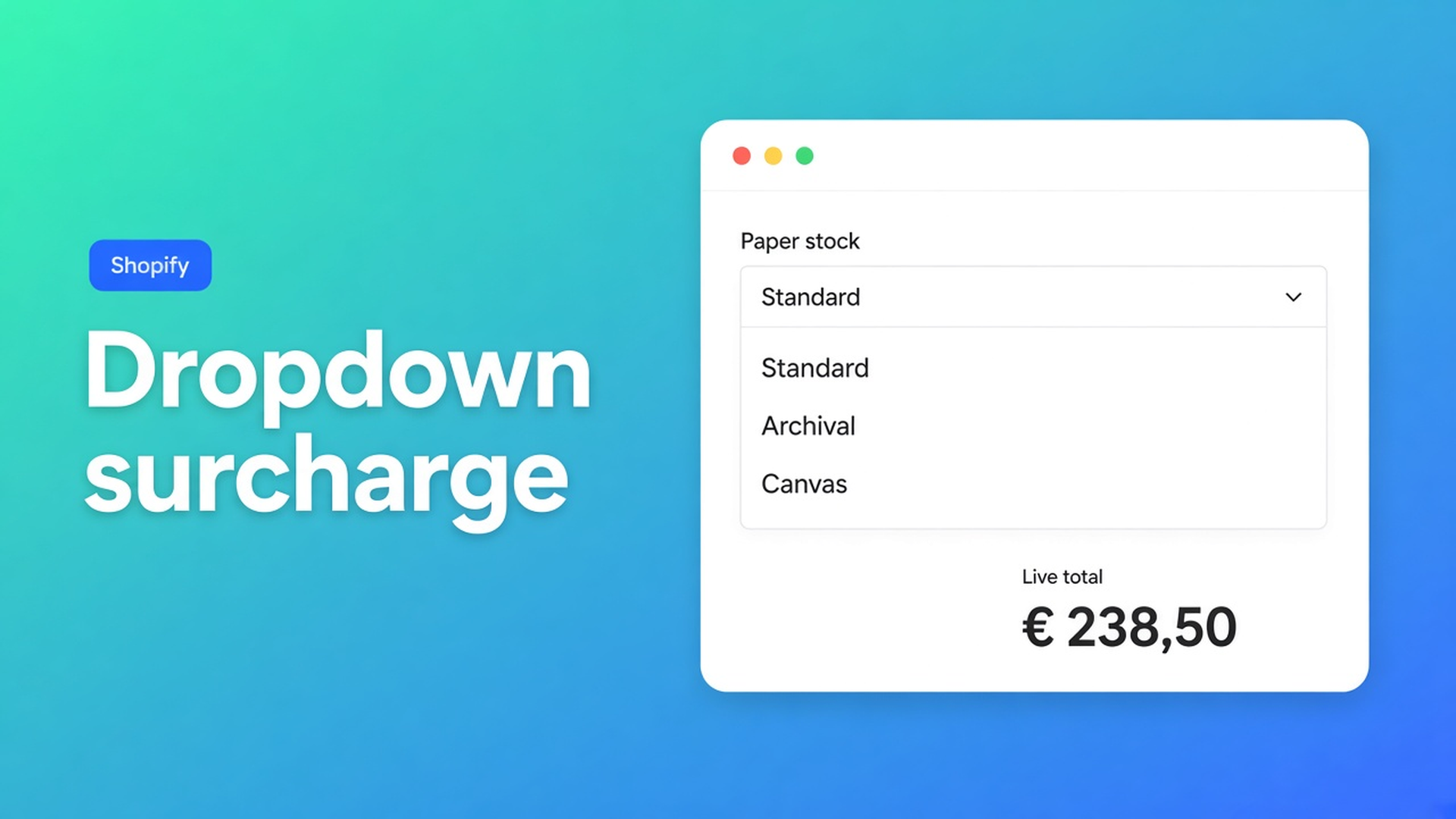
Shopify dropdown option surcharge without another SKU
Paper stock, finish, mounting kit, service level: the shopper picks one row from a list, and that row should move the total. Native Shopify has nowhere honest to put it. Option values invent SKUs. Theme selects write a line-item note and leave the price alone. Shopify dropdown option surcharge is the gap between those two mistakes.
Yesterday’s piece on radio buttons vs variants covered the same exclusive choice when every row should stay on screen. Radio docs say the quiet part: if the list is long or the column is tight, use a dropdown. This article is that compact control — how Options Price Calculator turns the selected float into a live total without burning a variant slot.
Three option slots are for inventory, not menus
Adding variants is blunt: three options per product, 2048 variants. The old 100-variant ceiling is gone; the three-option ceiling is not. Shopify’s own note: past those limits you need an app, or theme code that collects line item properties. Properties do not change the price.
A fourth “Finish” option looks cheap in admin. Colour (8) × size (5) × finish (6) is already 240 SKUs. Each cell wants a price, inventory, and optionally media. Products cap at 250 media. You are not photographing every paper stock.
Keep colour or size as variants when you actually buy and bin them. Put the surcharge list in a calculator field.
What stores try before the formula
Finish as a third option. You now stock “A3 / archival” as if that combo sits on a shelf. It does not. Archival is a fee. The SKU grid pretends otherwise.
A Liquid `<select>` named `properties[Stock]`. The order shows the choice. Checkout bills the variant. Someone in the office adds €12 later, or nobody does.
A second product called “Canvas upgrade”. Two Add to cart clicks. Cart apps treat two unrelated lines. Half the buyers skip the upgrade because it is not on the product they already configured.
None of that is one list, one live number, and SKUs only for goods you hold.
One selected float, not one selected SKU
Options Price Calculator is Built for Shopify (5.0, 26 reviews on the listing). Dropdowns sit under Customization; Add-ons under Pricing. Unlimited options, formula-based totals, no extra variants, no quote PDF. Starter $9.99/month: unlimited options, formula builder, metafields, multilingual. Premium $14.99/month: conditional logic, live preview, price breakdown. Free: 20 uses; always free on a Shopify Develop plan. Billed in USD.
Stock question: would you pick this combination from a bin? Yes → variant. No, it only changes money or the packing note → dropdown. Need several extras at once? Checkboxes. The Dropdown article is explicit: customers select one option.
Field contract
Label above the control (`Paper stock`). Key such as `paper_stock` or `finish_option` — lowercase, numbers, underscores, no spaces. Required when the choice is needed for price or fulfillment. Default: preselect a row, or leave the list empty so the shopper has to pick.
Each row is a label plus a Value (float):
`1` — no change (good as a multiplier baseline)
`1.2` — 20% more
`25` — a flat add-on
The docs list those three uses: add a fixed amount, act as a multiplier, or feed a later step.
Variables and Field Values groups Dropdown, Radio, and Swatch: the formula sees the selected option’s number. A checkbox is the other pattern (configured value or `0`).
Where the number goes
The Formula Builder allows `+ - × ÷ ( )`. `product_price` is the active variant. Pick the field from Form fields; the builder inserts that float.
Example 3 in the formula examples is this exact pattern — a material dropdown as a multiplier:
``` product_price * material_type ```
Flat surcharge:
``` product_price + paper_stock ```
Area plus stock:
``` product_price + (width * height) + paper_stock ```
Round at the end (`Math.round`, `Math.ceil`).
Need a rule that fires only on the third row even when two rows share the same float? That is Premium conditional pricing. Dropdown docs expose the selected position (1st, 2nd, 3rd…). Variables name it `{key}_optidx` — conditional rules only, not the main formula. Leave it off Free/Starter.
Print shop: paper stock on a poster
Native variants stay colourway (black / colour) and size (A3 / A2). Two of three options. No “Stock” option.
Calculator:
Dropdown `paper_stock`, required, empty by default
Standard — `0`
Archival — `12`
Canvas wrap — `28`
Optional width/height numbers if you sell custom trim
Formula `product_price + paper_stock`
Shopper picks colour / A2 (variant €36) and archival: `36 + 12 = 48`. Same figure in the cart. The packing slip shows “Archival”. You do not invent an “A2-colour-archival” SKU.
Two different stocks in one order: two Add to cart clicks. Quantity 2 is two identical posters. The calculator prices one unit; Shopify quantity multiplies the line.
Attach the calculator in Linking Products & Variants. One calculator covers the series when only `product_price` changes.
Put it on the product page
Install Options Price Calculator. Free: 20 uses (Develop plan always free). Starter $9.99/month. Premium $14.99/month if you need per-row conditionals.
Place the app block under the price, above Add to cart — How to Add the Extension to the Product Page.
Add a Dropdown. Short labels. Values `0` / `12` / `28`, or `1` / `1.2` / `1.5` if you multiply.
Leave colour, size, and material as Shopify variants. Price-only lists stay off that grid.
Switch variants, pick every row, check the live total and the cart.
Turn on server-side price validation so the browser figure is not the only check. Theme bindings exist because some themes use a custom variant selector — the app does not “just work on every theme with zero setup.”
Short exclusive list, all rows must stay visible? Radios. Long list or a narrow column? Dropdown.
Close
A Shopify dropdown option surcharge is a selected float, not a selected SKU. Native Shopify stops at three options and 2048 variants. A fourth menu with no warehouse behind it does not belong in that matrix. Put the list in Options Price Calculator and let the next shopper pick stock or finish without another variant.

Custom webshops, websites, and applications combined with smart online marketing to help your business grow online!


Reviews
5/5
Mail: info@onlineorigins.nl
Tel: 073 234 0612
KVK: 89825624
BTW: NL865123639B01
Bruistensingel 500,5232 AH 's-Hertogenbosch Cookies
© 2026 Online Origins