
Shopify multiple bulk forms for customer groups: one sheet per tier
Your installer logs in and lands on the distributor assortment — net prices that were never meant for them. Or they see two sheets and guess. That is not a flexible B2B setup. That is overlapping visibility.
Shopify multiple bulk forms customer groups means one enabled form per tier, shown by a unique tag, with one simple price rule. The shopper sees a single sheet. OO - EU B2B & Wholesale docs say so in plain language. Bulk forms live on Growth, not Free, not Starter.
Yesterday was customer-group prices on the product page. Earlier, bulk order page versus product. This post is the count: how many forms, who sees which, and how T1 stops opening T2.
You can create ten forms. A customer still sees one.
Shopify tags group accounts. They do not pick a form. Native B2B catalogs attach prices to companies. Plenty of EU shops run mixed D2C + wholesale on ordinary customers. The group is a tag. The order sheet is an app module.
Can I use multiple bulk order forms?: yes. Each form has its own products or collections, pricing, and visibility. Each customer sees one form at a time. Which one depends on visibility, assigned customers, tags, and login status.
If two forms match, the app picks one. The rest stay hidden. Do not promise a “choose your price list” dropdown.
How shops get the wrong net prices live
One form, three discount layers inside it. T1 at 10%, T2 on fixed prices, distributors on per-SKU contracts — all in the same grid. Using multiple bulk forms flags that as a mistake: keep pricing logic simple per form.
The same tag on two forms. `Wholesale` on both T1 and T2. Onboarding feels fast. Then priority has to untangle what you glued together. Which bulk form is shown: specific customers beat tags, tags beat logged-in, logged-in beats all customers. Shared tags are the shortest path to “why does Jan see the other sheet”.
All customers left on next to a tagged form. Retail sees wholesale. Common setup mistakes warn about that. All customers is the lowest priority, and guests without a tag still land there.
None of that is: T1 tag → T1 form, T2 tag → T2 form, no overlap, tested in a private window.
Group first, then the tag, then the form
OO - EU B2B & Wholesale is Built for Shopify (5.0 from 34 reviews: 33 five-star, 1 four-star). Live listing in USD:
Free — 1 custom pricing rule, 1 registration form + approve/reject, Flow templates; no caps on development stores.
Starter $22/month or $220/year — unlimited custom and volume pricing, unlimited registration forms, EU Tax exemption (VIES + logs), tax display, login to see prices. 14-day trial.
Growth $37/month or $370/year — everything in Starter plus bulk forms, draft checkout, repeat order, RFQ, order limits. 14-day trial.
Without Growth there is no bulk form to split by group. Custom Pricing on the product page is a different module (Free: one active list). This article is the sheet, not the PDP price.
The docs’ setup, in order
Name the groups. Wholesale T1, Wholesale T2, distributors, international partners. Distinct rules each.
One form per group. Call it `Wholesale – Tier 1`. Not “Form 2”.
Tag visibility. Form A → `Wholesale_T1`. Form B → `Wholesale_T2`. A new account gets a tag, not a new form to maintain.
No overlap. Do not reuse a tag. Do not assign the same customer to two forms. Do not mix All customers with restricted forms.
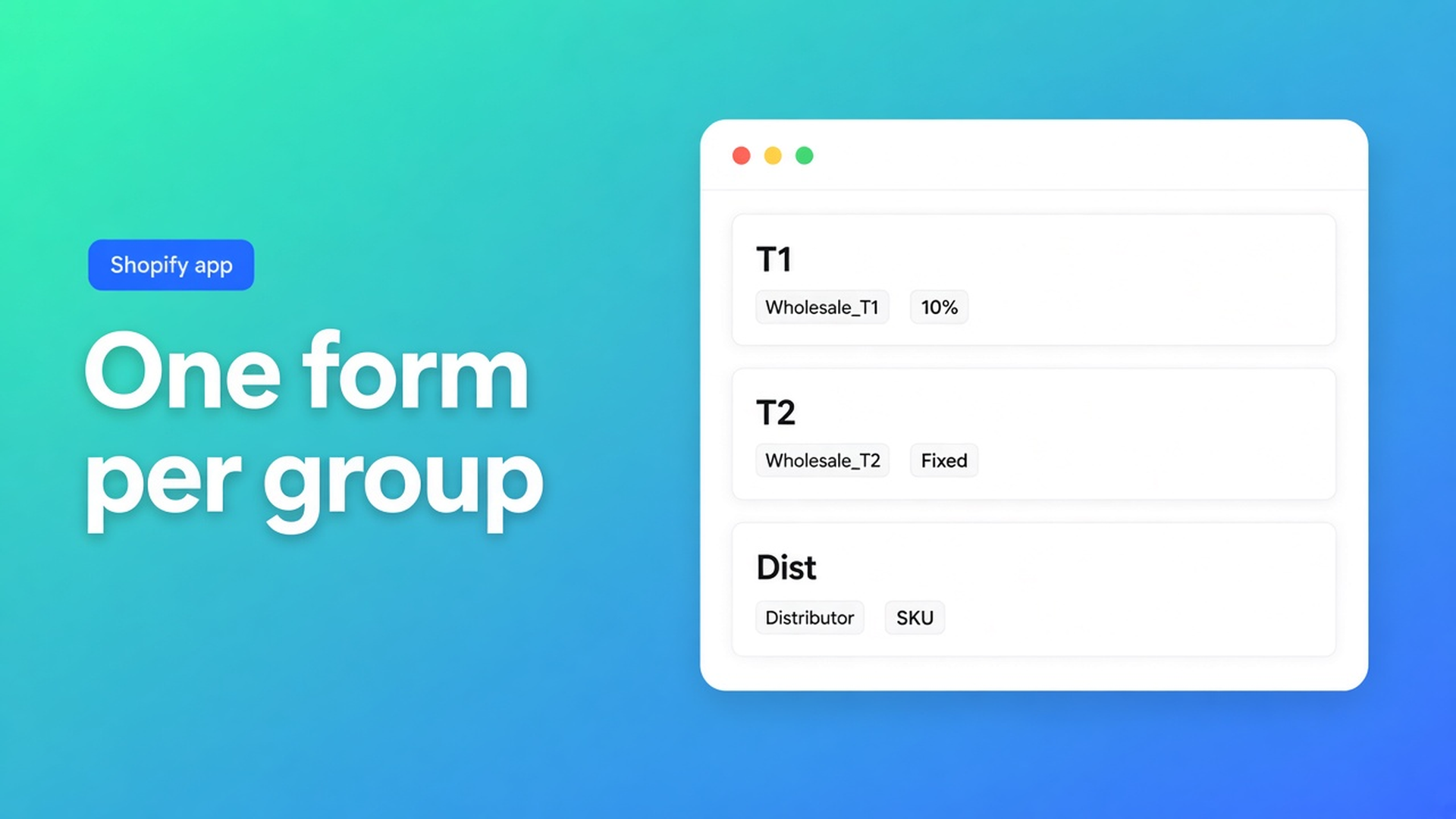
One price idea per form. T1 10% off. T2 fixed wholesale prices. Distributor individual prices. Those prices apply inside that form; Shopify catalog prices stay as they are.
Test each group. Log in as a test customer. Private window. Admin view lies.
Collections inside a form auto-include products that join later and drop products that leave. Only active products on the right sales channel — collections in a bulk form. The form must be On. Disabled forms never show.
The theme block and the menu still matter. On is not the same as visible. The URL work is in how to make a wholesale page.
Example: cafés at 10%, regionals on fixed, one key account on SKUs
Three groups. Three forms. Three tags: `Wholesale_T1`, `Wholesale_T2`, `KeyAccount`. No customer wears two of those.
| Group | Visibility | Pricing | | --- | --- | --- | | Café / T1 | Tag `Wholesale_T1` | 10% off catalog | | Regional / T2 | Tag `Wholesale_T2` | Fixed wholesale prices | | Key account | Specific customers | Individual prices per SKU |
T1 orders from collection “Hospitality”. T2 from “Hospitality + Outlet”. The key account sees everything, on contract prices. Put T1 on the bulk order page, not on `/products/espresso-cup`, if they reorder forty SKUs at once.
Private window as T1: T1 sheet, 10%, no outlet. As T2: fixed prices, outlet included. As the key account: the specific-customer form wins even if that profile still has `Wholesale_T1` — specific customers sit at the top of the stack. Remove the leftover tag anyway. Do not use priority as a janitor.
Registration can stamp the tag after approval. Unlimited registration forms are on Starter; the bulk form itself is Growth. VIES / tax exemption is Starter, not Free. Do not claim this app replaces Shopify Plus B2B catalogs.
Ship it
Growth on OO - EU B2B & Wholesale. That is where bulk forms live.
Write the groups down. One tag each, never reused.
Create one bulk form per group. Collection or products, one price rule, visibility on that tag. Form On.
Theme: bulk order page block plus a menu item only logged-in wholesale should see.
Test accounts: T1, T2, key account, a guest. Private window. Wrong sheet means overlap or priority.
Wrong form in production: check whether the customer is assigned to a specific form, check tags, check every enabled form. Disabled ones do not count.
Close
Shopify multiple bulk forms customer groups is not a pile of sheets on one login. It is one form per tier, unique tags, simple pricing, and a test per group. Native tags do not price anything. The app shows the highest-priority match; specific customers beat tags. Growth supplies the forms. Overlap is the bug, not “the customer does not get it”.
Split the tiers in OO - EU B2B & Wholesale and let each group see one sheet.

The Shopify Select partner for ambitious e-commerce businesses that want to grow!


Services
Reviews
5/5
Mail: info@onlineorigins.nl
Tel: 073 234 0612
KVK: 89825624
BTW: NL865123639B01
Bruistensingel 500,5232 AH 's-Hertogenbosch Cookies
© 2026 Online Origins