
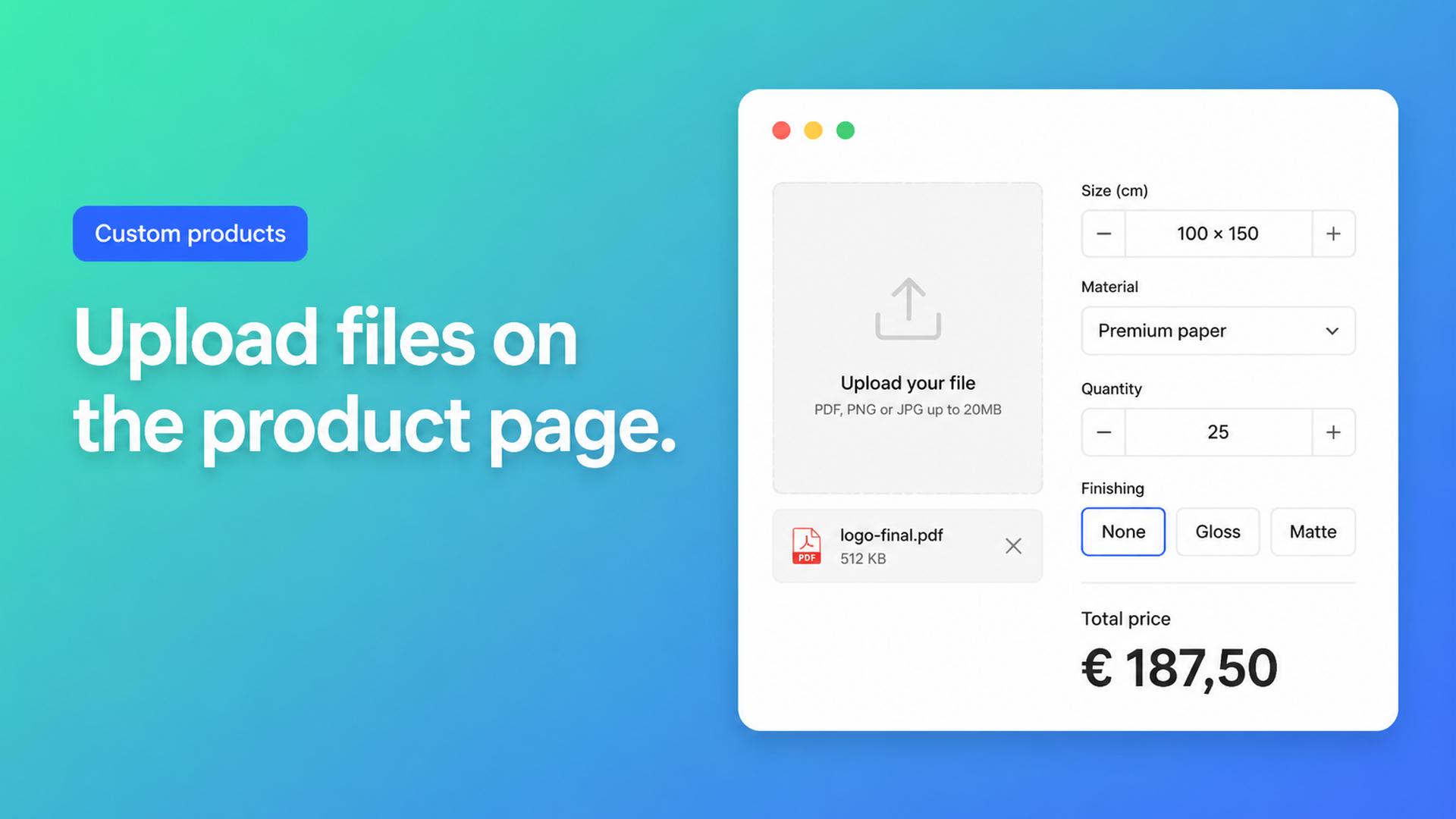
Shopify product file upload: collect artwork without extra variants
Print shops, packagers, and anyone who cuts, stitches, or engraves from a customer file all hit the same gap: Shopify variants store SKUs, not attachments. Size, Color, and Material fit the admin. A print-ready PDF does not. Merchants still need Shopify product file upload on the product page so the order ships with the right artwork and the price already includes a handling charge.
This article walks through why theme file inputs keep breaking on Ajax carts, why the current 3-option / 2048-variant limits do not help, and how Options Price Calculator adds a proper upload field plus a live formula without inventing a SKU per logo.
Variants cannot hold a file
Shopify Help Adding variants still caps each product at three options and 2048 variants. The variant ceiling rose from 100 in October 2025 (developer changelog). That is useful if you actually stock combinations. It does nothing for a unique PNG.
A file is not an option value. You should not create a variant named after today’s customer artwork, and you cannot spend a native option slot on “upload”. Those three slots fill up fast once you also offer placement, ink count, or substrate — the same wall we covered in Shopify more than 3 product options. Keep inventory on the few SKUs you warehouse. Treat the file as configuration on the line.
What merchants try in the theme
A file input named `properties[Logo]`
Older tutorials add `<input type="file" name="properties[Artwork]">` and rely on a full form POST with `multipart/form-data`. Online Store 2.0 themes typically add to cart with Ajax. Community threads such as How to send image file in Shopify add to cart, Adding Image Upload / Line Item properties in 2.0 themes, and Line Item Properties attach images or data repeat the failure mode: JSON or `serialize()` drops the File object. The order shows a filename or `C:\fakepath\…` and no bytes. Storefront API work has the same hole; developers end up hosting the file elsewhere and stuffing a URL into a line item property (customAttribute image upload).
Even a successful attach is still just text on the line. It does not change the price. We unpacked that in Shopify line item properties do not change price: one file or five files, the checkout total stays the variant price unless a calculator or Function sits beside it.
“Email the file after you pay”
Fine at five orders a week. At fifty, production chases inboxes, pairs the wrong PDF with the wrong SKU, and you eat reprints. Customers also bounce when checkout is not the last step.
A dummy “artwork fee” product
A $15 add-on SKU that people forget to add, or add twice. It never scales if the fee should grow with a second or third file.
File upload as a calculator field
Options Price Calculator is Built for Shopify. Among its field types is File upload. The File Upload article is the spec you configure against:
A clear label (“Upload your print-ready PDF”).
A key such as `design_file` for formulas and conditions.
Required so add to cart stays blocked until at least one file is present.
Upload mode: dropzone when the file is the point of the page; a compact button when the upload is optional (the placeholder becomes the button label).
Allowed types: images (JPG, PNG, WebP, GIF, SVG), documents (PDF, DOCX, XLSX, PPTX), video, and audio. JPEG accepts both `.jpg` and `.jpeg`.
Max total upload size (docs example: 50 MB) with a translatable error.
Max files from 1 to 5.
Numeric value: multiplied by how many files the customer uploaded. Two files at `15` contribute `30`. No file contributes `0`. Set `0` if the upload should be free.
The docs’ handling-fee example in Pricing / Formula Examples:
``` product_price + file_upload ```
Variables and Field Values states the same rule: File Upload exposes that numeric value times file count. The storefront price updates as files land in the dropzone.
Need a surcharge only when “we vectorize this for you” is checked, or a floor so a tiny sticker with a file still covers setup? That is Premium conditional pricing. Overlaying the artwork on the product image is Premium live preview (Product Personalizer). File upload itself is a listed option type on Starter; you do not need Premium just to collect a PDF.
If cotton and vinyl are real stocked variants, link a calculator per variant. The file still rides on the line; inventory stays on the SKU.
Example: a custom rigid sign
You sell aluminium signs. Native variants: two thicknesses (stocked). The customer types width and height, must upload a PDF, and may add a second reference photo. You charge a $18 file-handling fee per file, plus area.
Setup:
Number inputs `width` and `height`.
File Upload key `print_files`, required, max files 2, PDF + PNG, numeric value `18`, dropzone.
Formula: `product_price + (width * height) + print_files`.
Bulk-link the calculator to the sign SKUs.
Someone enters 80 × 50, drops `artwork.pdf` and `photo.png`, and sees $36 of handling plus the area term before they hit add to cart. Fulfillment gets both files on the line. You can surface that extra product data in the order confirmation email so the shop floor does not live in the admin.
The same shape works for folding cartons, DTF transfers, or a photo book. If the personalization is typed text rather than a file, yesterday’s piece on engraving and personalization upcharges is the closer pattern.
Getting it live
Install Options Price Calculator from the listing (install steps). Free covers 20 uses and stays free on a Shopify develop plan. Starter is $9.99/mo (unlimited options, AI-assisted setup, formula builder, metafields, multilingual labels). Premium is $14.99/mo (conditional logic, font picker, live preview, price breakdown, premium support).
Build the calculator: File Upload first, then any numbers or dropdowns, then the formula.
Link products or variants.
Add the app block on the product template, below price and above add to cart (theme app extension). Themes differ; run the selector picker if price or the button does not bind.
Place a test order with a valid file, an oversized file, and a blocked type. Check cart, order, and email.
Turn on server-side price validation in app settings so the calculated total is checked beyond the browser.
Wrap-up
Shopify product file upload is not a fourth variant option and not a Liquid snippet that survives Ajax add-to-cart. Collect the file on the product page, fold a per-file fee into the formula, and keep SKUs for things you actually stock.
Install Options Price Calculator and put a File Upload field on the first product that cannot ship without artwork.

The Shopify Select partner for ambitious e-commerce businesses that want to grow!


Services
Reviews
5/5
Mail: info@onlineorigins.nl
Tel: 073 234 0612
KVK: 89825624
BTW: NL865123639B01
Bruistensingel 500,5232 AH 's-Hertogenbosch Cookies
© 2026 Online Origins