
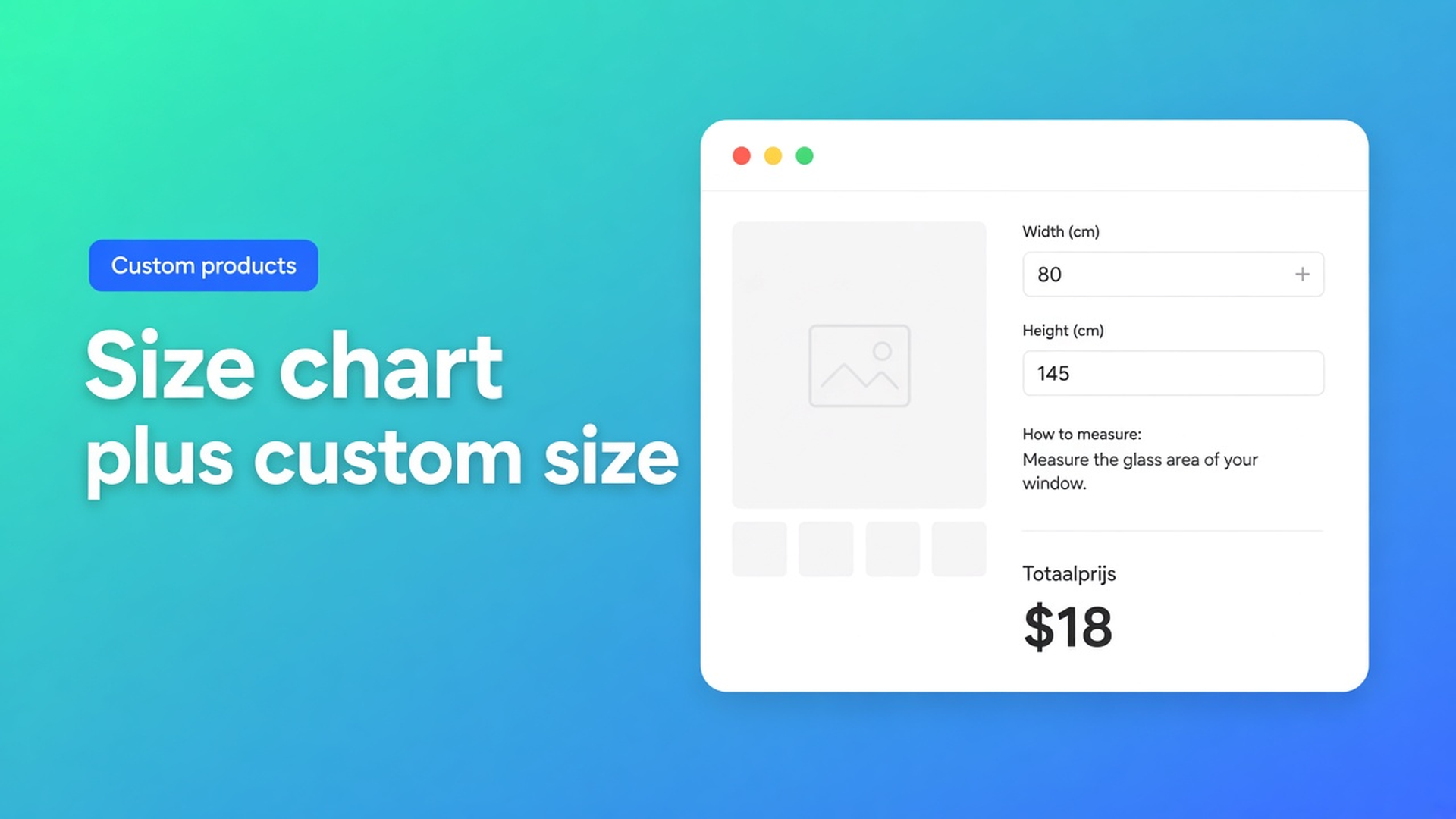
Shopify size chart with custom dimensions, not another Size option
The opening is 49.5 × 82 inches. Your product has Size as Small / Medium / Large. Below the fold sits a screenshot of a supplier grid. The shopper still cannot type the opening, and checkout still bills the variant. A Shopify size chart with custom dimensions is the missing pair: guidance on the product page, two numbers that actually move the total.
Shopify will not do that with variants. Adding variants caps you at three options and 2048 variants. Theme `properties[...]` inputs keep the centimetres on the line item and do not change the price. HTML in the description is copy, not a calculator.
We already covered why continuous dimensions do not fit Shopify variants. This article is the storefront combo: a measurement note next to Add to cart, plus width and height fields, wired through Options Price Calculator.
A Size option is a SKU, not a tape measure
Variants are inventory combinations. Past three options or 2048 variants, Shopify points you to an app or to theme code that harvests line item properties. Properties do not price. The old 100-variant ceiling is gone; the three-option ceiling is not.
One millimetre as an option value is one cell. 600 mm to 3000 mm in 10 mm steps is already hundreds of values — before height. Two axes blow past 2048 quickly. Each cell wants a price, inventory, and optionally media. Products allow 250 media. You are not photographing every opening.
Keep fabric or colour as a variant when you bin it. Do not spend an option slot on every window the customer might have.
A static chart in the product description fails twice: it sits far from Add to cart on a phone, and it never feeds checkout.
Workarounds that stall the order
S/M/L plus a “how to measure” PDF. The shopper picks Medium, measures 49.5 inches, emails you. You write a draft order. The storefront stopped selling.
Quantity as millimetres. Quantity 495 = 495 mm. The cart says “495 items”. Height has nowhere to go. Shopify quantity is an integer, not a pair of dimensions.
A Liquid field `properties[Width]`. The packing slip shows 49.5. Checkout charges the variant. Someone in the office adds the difference later — or nobody does.
A catalogue of stock sizes. 60×90, 80×120, 100×150. Fine until the opening is 49.5 × 82. Then the shopper over-buys or leaves.
None of those paths is: short instructions, two numeric fields, a live total, SKUs only for goods you hold.
Display the guide, price the numbers
Options Price Calculator is Built for Shopify (5.0, 26 reviews on the listing). Customization lists Size charts, Dimensions, and Numbers. Unlimited options, formula-based totals, no extra variants, no quote PDF. Starter $9.99/month: unlimited options, formula builder, metafields, multilingual. Premium $14.99/month: conditional logic, lookup tables, live preview, price breakdown. Free: 20 uses; always free on a Shopify Develop plan. Billed in USD.
Inventory per combination → variant. Customer-typed measure that only changes money → number inputs. Text that tells them *where* to put the tape → display field.
Rich Text is the guide, not a variable
Rich Text is display-only: bold, italic, lists, links. It never enters the formula. Key example from the docs: `measurement_info`. Put it first: measure the recess, not the fabric; width between the jambs; height to the sill. That is the “size chart” as instruction — not a spreadsheet builder, the copy that stops someone typing the brick opening.
Variables and Field Values lists Rich Text, Divider, and Calculation display as not available as variables.
Number Input is the centimetre that prices
The Number Input article uses `Width (cm)` as the sample label. Keys: lowercase, digits, underscores — `width` / `height` or `width_cm`. Required on. A default may pre-fill a common width; the shopper overwrites it. Leave negative values off. Set minimum and maximum every time — the docs use `10` and `300`. Outside that range the input is invalid and Add to cart stays blocked.
Leave Is quantity input off. This is a measurement, not Shopify line quantity.
One formula, or a Premium matrix
The Formula Builder allows `+ - × ÷ ( )`. `product_price` is the selected variant. Example 1 in the pricing examples:
``` product_price + (width * height) ```
Need the area in more than one place? Put `width * height` in 4a. Custom variables, then reuse it. Round at the end with `Math.round` or `Math.ceil`.
Pricing from a width × height cell instead of area × rate is Premium: 4b. Lookup tables, `lookup2d(table_id, x_field, y_field)`, X and Y bound to those number fields. Skip it on Starter. A threshold such as example 7 (`width > 200`, then a higher rate) is Premium conditional as well.
Worked example: window film, film type as SKU
Native variants stay: film (clear / frosted) and adhesive (static / glue). Two of three option slots. No Width option.
Calculator, top to bottom:
Rich Text `measurement_info`: measure the glass, not the frame; width first.
Number input `width`, label `Width (cm)`, required, min `20`, max `180`, empty default
Number input `height`, label `Height (cm)`, required, min `20`, max `250`
Formula `product_price + (width * height)`
Shopper picks frosted / static (variant €12), types 0.80 × 1.45 m: `12 + (0.80 * 1.45)`. The page total and checkout match. Fulfilment reads the centimetres on the line. You never stock “frosted-static-80×145”.
Two different panes: Add to cart twice. Quantity 2 is two identical pieces. The calculator prices one; Shopify quantity multiplies the line.
Link the calculator with Linking Products & Variants. One calculator covers the series when only `product_price` changes.
Get it on the product page
Install Options Price Calculator. Free: 20 uses (Develop plan always free). Starter $9.99/month. Premium $14.99/month if you need lookup tables or threshold conditions.
Add the app block on the product template, under the price, above Add to cart — How to Add the Extension to the Product Page.
Rich Text for the measuring note. Then two number inputs. Keys `width` / `height`. Min and max from production, not from hope.
Keep colour and material as Shopify variants. Do not add centimetres as option values.
Test: switch variants, type the min, the max, and a value in between. Check the live price and the cart.
Server-side price validation (app setting) stops a browser-only total. Theme bindings exist because selectors differ — not “works on every theme with zero setup”.
Selling length only, off the roll? That is the number field length price path. This piece is the two-axis opening plus the on-page guide.
Close
A Shopify size chart with custom dimensions is not another Size option and not an HTML table under the description. It is a measurement note, two number fields with min/max, and a formula that reads `width` and `height`. Native Shopify stops at three options and 2048 variants; 49.5 inches is not a variant.
Put the guide and the centimetres in Options Price Calculator and let the next shopper type the opening without a new SKU.

Custom webshops, websites, and applications combined with smart online marketing to help your business grow online!


Reviews
5/5
Mail: info@onlineorigins.nl
Tel: 073 234 0612
KVK: 89825624
BTW: NL865123639B01
Bruistensingel 500,5232 AH 's-Hertogenbosch Cookies
© 2026 Online Origins