
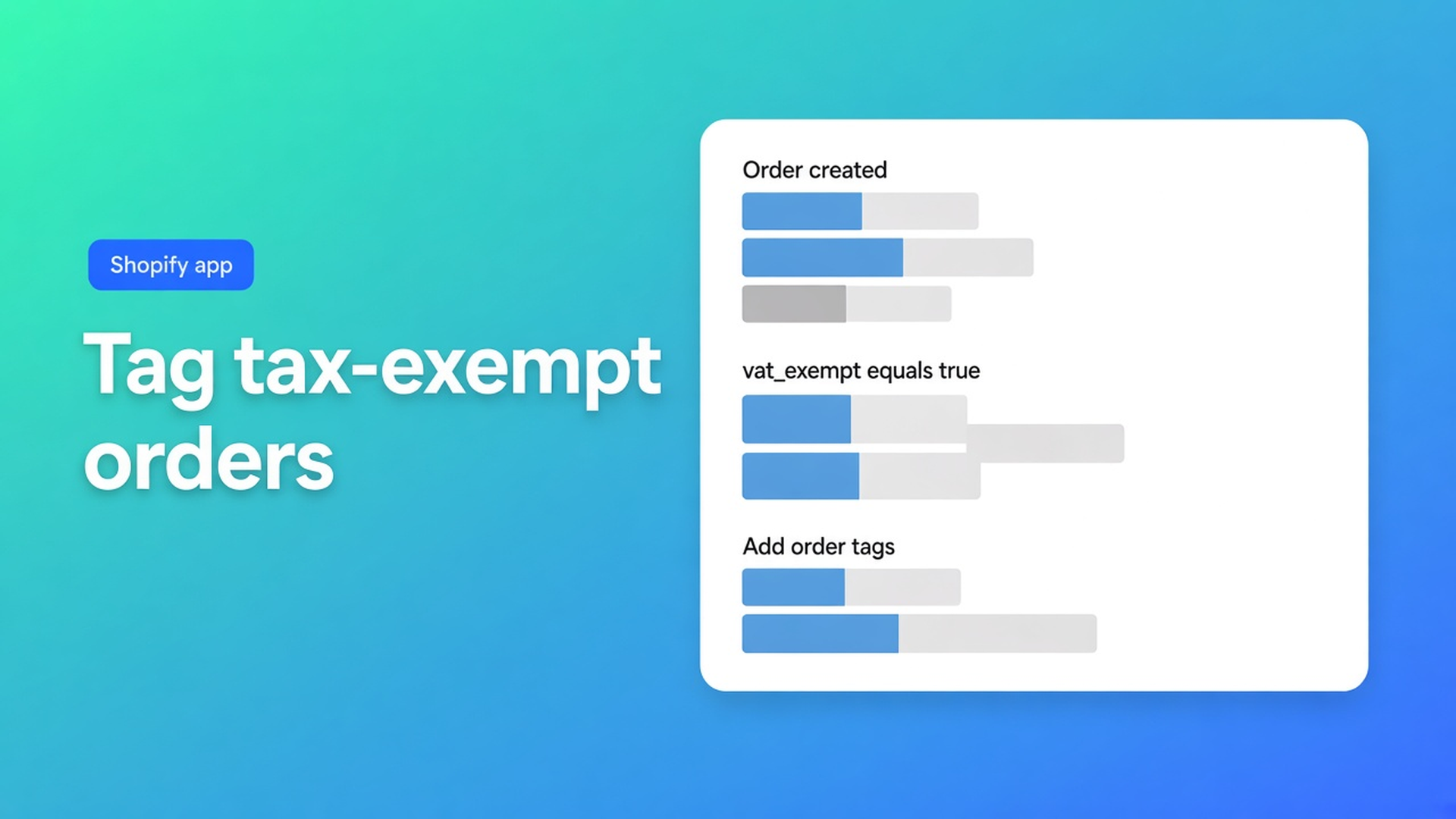
Tag tax-exempt wholesale orders in Shopify with Flow
VAT dropped at checkout. The order looks clean. Your bookkeeper still asks for “all reverse-charge orders this month.” You open Shopify, filter on tags, and get zero rows. The exemption happened. The label did not.
Shopify tag tax exempt wholesale orders is a Flow you add, not a switch inside OO - EU B2B & Wholesale. The app writes a custom attribute `vat_exempt=true`. Flow turns that into a tag. The tutorial is explicit.
The earlier guide covers how EU exemption works. This one is only the stamp you search on later.
What lands on the order without Flow
Tax Exempt ships on Starter. Live listing: Free (one pricing rule, one registration form), Starter $22/month, Growth $37/month, 14-day trial, Built for Shopify, 5.0 from 34 reviews. USD billing. The listing lists Shopify Flow under Works with.
Path: Apps → B2B & Wholesale → Tax & prices → Tax Exempt on. The module does not compute tax. Shopify markets and tax settings remove VAT when the buyer qualifies. The tax-display module only flips incl./excl. labels.
After VIES accepts the number (email + VAT ID):
the customer can be marked tax exempt;
VAT details go to cart attributes and order notes;
optional customer tag, default `VAT Validated`.
That last tag sits on the profile. The order gets `vat_exempt` = `true` when exemption applied. Until Flow runs, Orders → tagged with `EU Tax Exemption` is empty.
Checkout mode matters:
Leave draft-order logic off when you sell excluding VAT. Shopify’s own exemption runs in normal checkout.
Turn it on when prices include VAT and the app must strip tax via a draft. Do not combine that with the draft checkout already used by custom, volume, or bulk prices — those flows are not merged yet.
Domestic VAT numbers validate and do not exempt. Cross-border EU only.
Filters that miss the order
Searching “tax exempt” on the customer is not an order export. A validated customer can still place a domestic order that keeps VAT.
Tagging by hand every morning fails the first weekend order.
Reusing `VAT Validated` on the customer marks people, not shipments. The Flow article keys off the order attribute.
Waiting for Growth is unnecessary. Flow is not a $37 feature. Bulk forms and RFQ are.
General settings also let you persist the VAT ID as an order note (optional prefix), store VIES company address fields as additional data (gaps become “not available”), and apply that customer tag after validation. Advanced cart attribute names default to `tax_exempted` and `vat_number`. Change them only if an integration demands it — and then change the Flow key to match. The published tutorial still uses `vat_exempt` = `true`.
You can hide the form for same-country visitors or non-EU traffic. Those orders will not carry the attribute. That is correct: no cross-border exemption, no tag.
Draft-order mode adds extras the standard path does not: a tax-exemption notice on cart lines, “require VAT validation before checkout” (EU only), and an optional custom checkout-button selector. None of those stamp `EU Tax Exemption`. Flow still does.
Build the flow exactly
Install Shopify Flow (Shopify’s app). Then:
Create a custom flow.
Trigger: Order created.
Add a condition.
Variable: custom attributes → key.
Equals `vat_exempt`.
AND: custom attributes → value.
Value `true`.
Action: Add order tags.
Tag `EU Tax Exemption`. Save.
Spell the key and value as in the docs. Rename the tag if your accountant already has a convention — then filter on *that* string.
The FAQ also sketches “order is tax-exempt → tag.” For this app, follow the attribute steps. They match what Tax Exempt writes.
Email used in the VAT form must match checkout email. Mismatch: no exemption, no attribute, no tag. Enable Dynamic taxes on the EU market. Fixed market prices can zero the VAT rate and leave the amount unchanged — a Shopify limit, not a missing Flow.
Example: Dutch catalog, Belgian and German buyers
Industrial fittings. Ex-VAT prices. Standard checkout. Starter.
VAT form on the cart (block or embed). Hide same-country visitors if you want.
Place a BE test order with a matching email. Notes show the VAT ID. Attribute `vat_exempt=true`. Still no tag.
Turn the Flow on. Repeat. The order now carries `EU Tax Exemption`.
Filter Orders on that tag. Export.
A NL number: validated, taxed, untagged. Keep it that way.
Checklist
Install OO - EU B2B & Wholesale and open Tax Exempt on Starter.
Pick the checkout mode that matches incl./excl.
Confirm one exempt order has `vat_exempt=true`.
Flow: Order created → key/value → tag.
Confirm a second order. Teach the bookkeeper the tag name.
Net terms, registration forms, and custom pricing are other listing features. None of them write `EU Tax Exemption` on the order. You can approve a wholesale signup and still have an untagged, fully taxed first order if VIES never ran — or if Flow is off.
Do not say the app replaces Shopify Plus B2B. Do not quote the old $8.95 price. Do not claim every EU order is tagged out of the box.
Close
To Shopify tag tax exempt wholesale orders, read the attribute the app already writes, then let Flow add `EU Tax Exemption`. Checkout can be correct for weeks while your tag filter stays empty.
Turn Tax Exempt on in OO - EU B2B & Wholesale, save the Flow, and export from the tag — not from memory.

The Shopify Select partner for ambitious e-commerce businesses that want to grow!


Services
Reviews
5/5
Mail: info@onlineorigins.nl
Tel: 073 234 0612
KVK: 89825624
BTW: NL865123639B01
Bruistensingel 500,5232 AH 's-Hertogenbosch Cookies
© 2026 Online Origins