
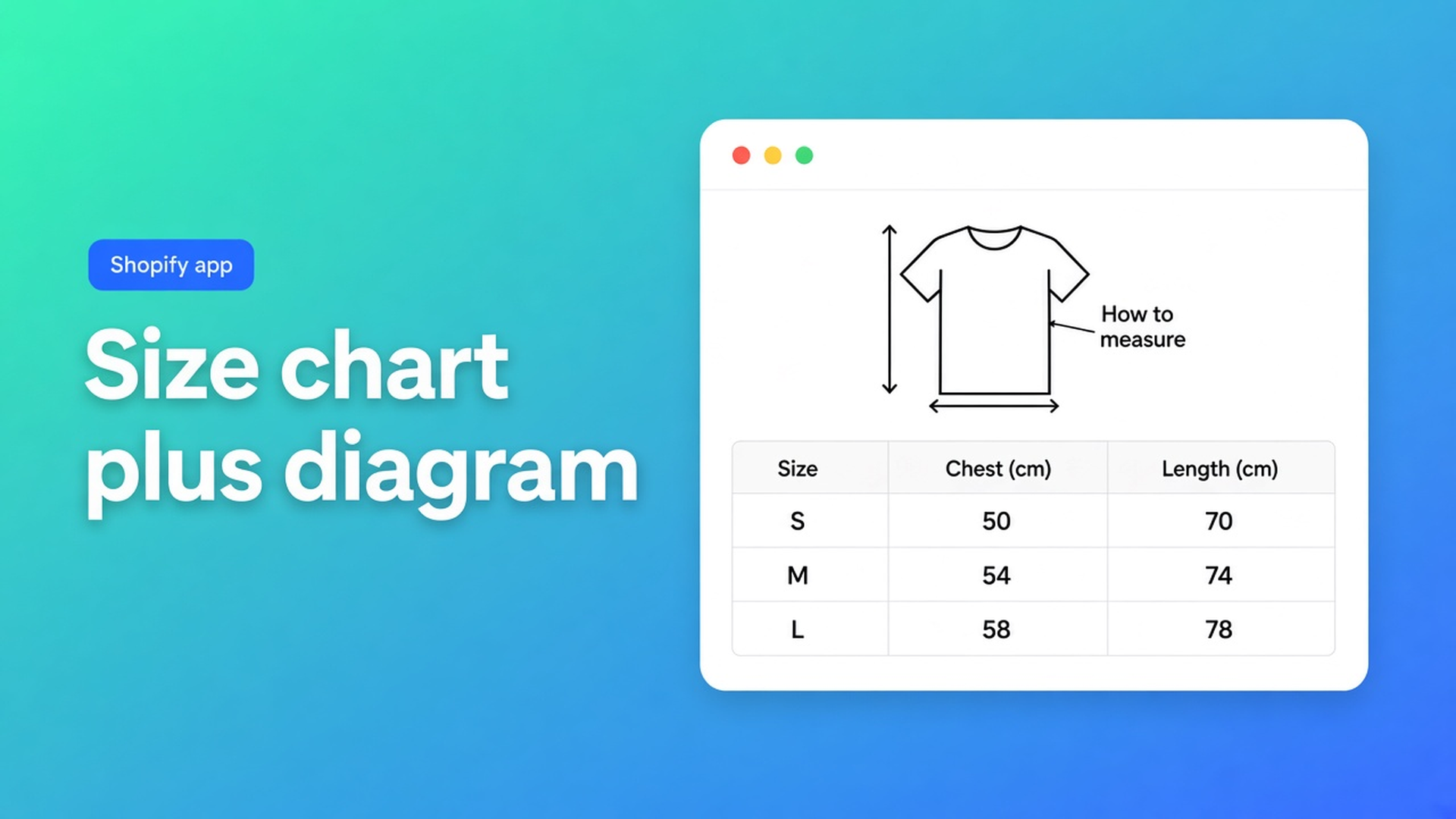
Shopify size chart with a measurement diagram (how to measure, then the grid)
Chest 52, waist 48, length 70. You know that is a hoodie M. A shopper sees a row of numbers with no anchor. Body or garment? Tape at the seam or across the chest? A Shopify size chart measurement diagram is that anchor: a picture of how to measure, then the grid. Without it they guess, open a size-guide three clicks away, or buy two sizes.
Native Shopify gives you Size as a variant option. No diagram. OO - Advanced Table Builder has an image block in Structure, above the measurement table. What a size chart app is, and where it sits on the product page, are other posts. This one is the stack: diagram, then numbers, men and women apart, sizes on the left.
App Store name: OO - Advanced Table Builder. Docs sometimes still say Tables, Specs & Comparisons. CTA is the listing. Free. 5.0 from 1 review.
A size option does not explain fit
Adding variants treats Size as one of three options. The shopper picks M. They do not see whether M is 52 cm chest, or how to take that 52 cm. Description HTML below the fold, a “Size guide” page in the menu, a supplier PNG in the media list — none of those pin a diagram to Add to cart.
A description mash-up of prose, table, and a photo that dies on a phone is not a block layout. One spreadsheet with men and women side by side becomes eight columns. Theme-bundled size guides vanish on a switch.
You want blocks. Picture, then table. Second table for women. Not eight columns.
What stores paste until returns spike
Table only. Chest / Waist / Length. Return reason: “fit wasn’t what I expected.” They measured the body. You measured the garment.
Diagram as the third product image. Between lifestyle shots. Nobody swipes there before Add to cart.
One CSV: XS–XL men, then XS–XL women. Horizontal misery on a phone. Building structure is explicit: size charts use blocks for text, measurement tables, and images. Keep separate charts as separate table blocks.
Structure: image, table, second table
Quick start: Create table → type Size chart (scratch or Generate with AI). Structure: groups, modules, measurement blocks. Design: template, colours, chrome (popup or plain). Settings: Enable. Theme: app embed + Size chart block, or auto-placement above Add to cart when that block is missing.
Building structure for size charts:
Blocks for text, measurement tables, and images
Separate charts as separate table blocks
Drag to reorder
A working order:
Image block — how to measure: chest, waist, sleeve. Line drawing. No lifestyle, no logo.
Text block (optional) — “centimetres, garment laid flat.” One sentence.
Table block, men — sizes in the first column (or first row if you design that way), centimetres in the rest.
Table block, women — a second block, not extra columns in block 3.
Create with AI: description and/or screenshot (PNG/JPEG/WebP/GIF, max 4 MB). Multiple charts in one photo (Men + Women) become separate blocks. Review Structure. Refine with AI later; Size chart as a type stays locked.
Design: popup or inline. Structure survives a chrome switch. Design settings: trigger copy, table colours.
Placement: Size chart block by the variant picker. Auto-placement: embed on and no Size chart block → enabled charts above Add to cart. Block present: the block wins. Specs have no ATC auto-inject — different type, own block. App embed: Theme settings → App embeds → Tables, Specs & Comparisons.
Enable off = nothing on the storefront, block or not. Visibility: All products or Selected. Do not hang a hoodie diagram on trousers.
Example: one hoodie SKU, two fits, one how-to drawing
Unisex hoodie SKU. Shoulder width differs for men and women. The supplier PNG has a man on the left, a woman on the right, a stick figure with arrows on top.
Create table → Size chart, or Generate with AI and that PNG (under 4 MB).
Check Structure: image block on top; Men table (XS–XL in column 1, chest/waist/length beside); Women as its own table block. If AI left one grid: split it. Do not add columns.
Text block: laid flat, centimetres.
Design: popup, trigger “Size chart.” Pull colours from a brand URL if you want Refine Design.
Enable. Selected products: this hoodie (and the hoodie collection if the fit matches).
Theme: Size chart block above Add to cart. Private window, phone width: trigger before the button; overlay shows the diagram plus both tables without sideways scrolling.
Do not force a Price module because the screenshot happened to show an SKU price. This is a size chart, not Specs.
Ship the first chart
Install OO - Advanced Table Builder (Free).
Size chart. Image block with the diagram. Men table, women table as separate blocks. Sizes first.
Enable + visibility. App embed on. Block on the product template, or auto-placement.
Phone test: diagram readable, tables not eight columns wide.
Translate customer-facing strings per locale in Settings if you sell in more than one language. The diagram is an image; plan a locale-specific file if the arrows include words.
Wrap-up
A Shopify size chart measurement diagram is not another variant value “M”. It is Structure: how-to picture, then centimetres, men and women in separate blocks. Native Shopify stops at the size option. OO - Advanced Table Builder puts the diagram next to Add to cart — popup or inline — so chest 52 belongs to something you can see.

The Shopify Select partner for ambitious e-commerce businesses that want to grow!


Services
Reviews
5/5
Mail: info@onlineorigins.nl
Tel: 073 234 0612
KVK: 89825624
BTW: NL865123639B01
Bruistensingel 500,5232 AH 's-Hertogenbosch Cookies
© 2026 Online Origins