
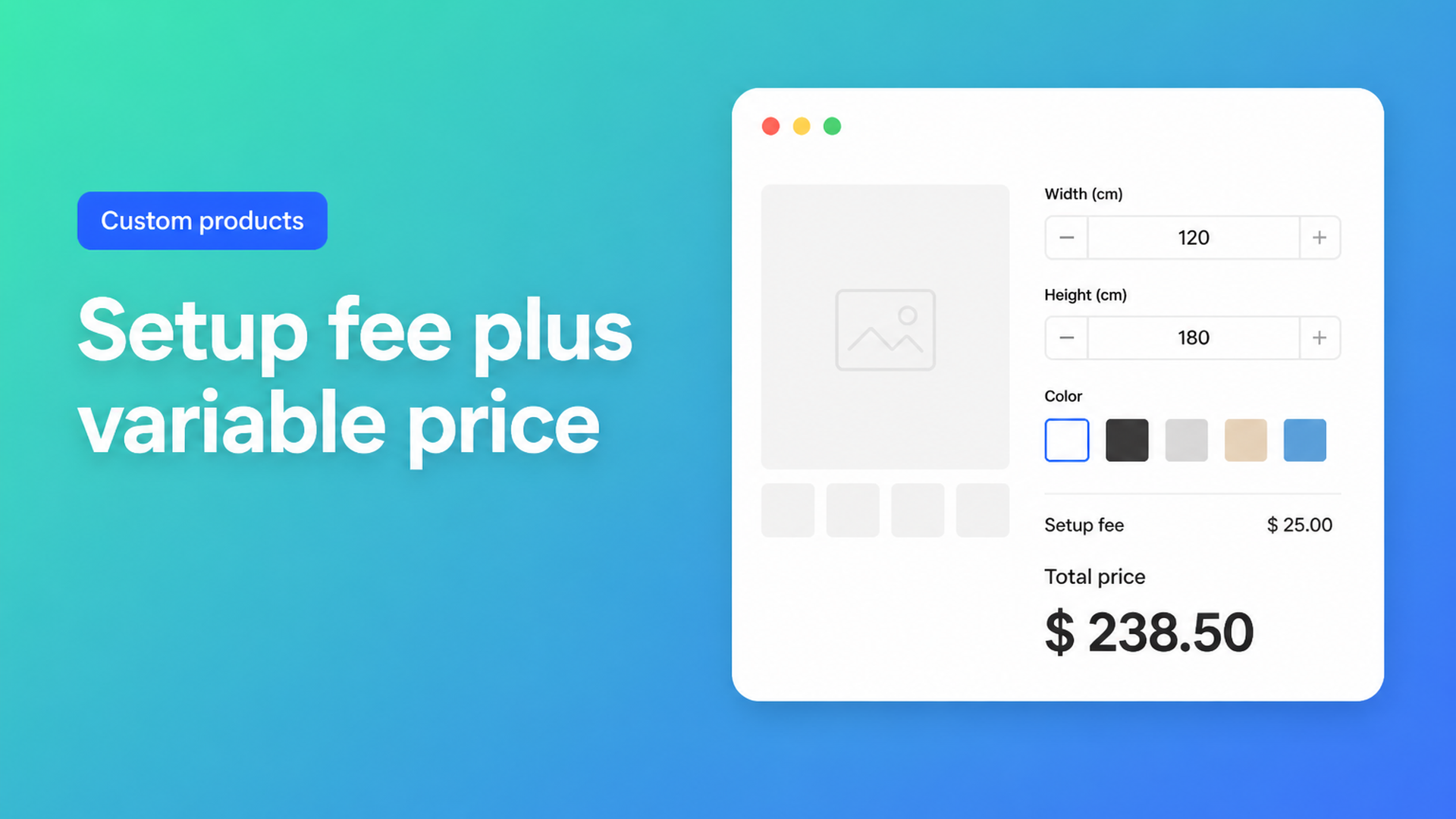
Shopify setup fee plus variable price: one formula, no extra variants
A lot of made-to-measure shops do not sell a single rate. They sell a job: file check, machine setup, a cut or a print pass — then material that scales with size. A Shopify setup fee plus variable price is that pattern on the product page: a constant, plus something like width × height, updating before Add to cart.
Shopify’s native model does not do that math. Variants are SKUs with one stored amount. You cannot keep a variant for every millimetre and then bolt a €25 / $25 setup onto it without turning the catalog into a price grid. Merchants ask for this constantly: custom height and width that should change the price, a one-off customisation charge next to the item, custom size that is not S/M/L. Theme inputs collect the numbers. Checkout still charges the variant.
This article stays on that specific sum — fixed start + variable size — and how Options Price Calculator implements the documented example `product_price + 25 + (width * height)` without extra SKUs.
Why a variant matrix cannot hold setup plus area
Shopify Help on Adding variants is unambiguous: three options per product, 2048 variants per product. The variant ceiling moved from 100 to 2048 in October 2025 (changelog). That helps shops that actually stock colour × size combinations. It does nothing for a continuous measurement.
Three options fill up fast (material, colour, finish). A fourth choice, or a free number field, is not a native option. Even inside 2048 cells you are maintaining a table, not a function. Every millimetre as a variant is busywork. Shopify’s own guidance for more than three options is still: split products, or use an app. The constraint is the pricing model — price equals the selected variant — not that 2048 is “too small”.
Line item properties do not close the gap. An `<input name="properties[Width]">` lands on the order for the workshop. It does not change the amount due. We covered that limit in Shopify line item properties do not change the price.
Workarounds that hide the setup — or multiply it
Bake the fee into every SKU. Small/Medium/Large each include $25. Change the fee and you edit dozens of variants. Mid-sizes do not exist.
Show the math only in the browser. Custom Liquid that prints `25 + width * height` looks convincing until the cart uses the variant price.
Quote by email, or add a second “setup” SKU. Accurate enough, easy to forget, and still not a formula driven by the first product’s inputs.
The shop already has the sum on paper. It needs to run on the product page.
The formula builder: constant first, then the variable part
Options Price Calculator is Built for Shopify. You add unlimited fields (numbers, dropdowns, swatches, checkboxes, file upload, text) and a formula that recalculates live. No extra variant per measurement. The formula builder is step 2 of the calculator: field keys become variables; the expression must evaluate to a number.
Supported operators are `+ − × ÷` and parentheses. Parentheses are not decoration — they fix order of operations. Pricing / Formula Examples lists this exact pattern as example 5, “Setup fee + variable price”:
``` product_price + 25 + (width * height) ```
`product_price` is always the currently selected variant’s price. Switch SKU (say aluminium vs. steel) and that base updates. `25` is the fixed start in the same currency as the product. `width` and `height` are number fields; their keys are the variable names.
That single expression is Starter-plan formula builder, not Premium. Premium is for if/then: a higher rate when `width > 200`, a floor if the sum is under 100, or a surcharge only when a checkbox is true (conditional pricing). Live preview for personalised artwork and a real-time price breakdown (table or text) are also Premium. AI-assisted field and formula generation is Starter.
Number fields pass through what the customer typed; dropdowns and swatches use the numeric value you assigned; a checkbox is that value or `0`. See Variables and Field Values. If the expression gets noisy, split it. Computed properties let you store `width * height` as surface area, then write `product_price + _cv_surface_area * 12 + 25`. Change the rate later without rewriting how area is defined.
Round at the end with `Math.round`, `Math.ceil`, `Math.floor`, `Math.min`, `Math.max`. Do not round every intermediate multiply.
Prices are checked server-side, not only in the browser. The cart line receives the calculated amount; the measurements travel with the order. For a wider tour of the builder itself, see formula-based pricing on Shopify.
One honest limit: `+ 25` sits on the unit price. Quantity 2 means Shopify multiplies that unit. For print or cut-to-length, that is usually what you want — each piece has setup. A true once-per-order fee regardless of quantity is a different cart-fee problem; the formula example does not invent a hidden “charge once” switch.
Worked example: cut-to-size sheet plus handling
A metal or plastics shop charges $8 per square unit plus a $25 handling/setup, and the customer types metres (or feet — pick one unit and stick to it). Native Shopify would push you toward a width dropdown × height dropdown until options and variants explode.
In Options Price Calculator:
Number fields `width` and `height`. Put the unit in the label. If customers type centimetres, convert in the formula (`width / 100`).
Keep a real variant only when you stock a different material SKU. Link a calculator per variant if aluminium and brass use different rates.
Formula:
``` product_price + 25 + (width * height * 8) ```
A 1.5 × 0.8 sheet: area 1.2 → 1.2 × 8 = 9.6 → plus 25 → 34.6, plus whatever `product_price` you left on the variant. The storefront total updates as they type. On Starter they see the live price; on Premium you can show the breakdown.
Need a material multiplier? Add a dropdown `material_type` (standard = `1`, premium = `1.25`) and wrap the variable part:
``` product_price + 25 + (width * height * 8 * material_type) ```
Same pattern as banners, window film, or engraved panels: the setup is the constant, the size is the product, inventory stays on the SKUs that actually have stock.
What you need to go live
Install Options Price Calculator. Free: 20 uses (always free on a Shopify Develop plan). Starter is $9.99/month: unlimited options, AI generation, formula builder, metafields, styling, multilingual labels. Premium is $14.99/month: conditional logic, font picker, live preview, price breakdown, premium support.
Build the calculator: dimension fields, optional material dropdown, the setup-plus-area formula. Use the builder preview with sample numbers before you publish.
Link it to the product’s variant(s).
In the theme editor, add the app block on the product template — below the price, above Add to cart. The walkthrough is How to Add the Extension to the Product Page. Themes differ; the selector picker exists because price and cart buttons are not always in the same DOM spot.
Place a test order. Confirm measurements on the order and that checkout matches the product page.
If the missing piece is the live total as the customer types, read live price calculator on the Shopify product page. For size inputs without a fixed start, custom size pricing is the sibling article.
Wrap-up
A Shopify setup fee plus variable price is one number the customer should see before they buy: start cost plus size. Variants stop at three options and 2048 SKU cells; they were never a formula engine. Options Price Calculator puts the documented sum `product_price + 25 + (width * height)` on the product page, validates it for the cart, and leaves inventory on the SKUs that need it.
Install the app, write the formula, link the variant, drop the block on the template. The setup stop being an after-the-fact invoice line — it is part of the price that already appeared on the product.

The Shopify Select partner for ambitious e-commerce businesses that want to grow!


Services
Reviews
5/5
Mail: info@onlineorigins.nl
Tel: 073 234 0612
KVK: 89825624
BTW: NL865123639B01
Bruistensingel 500,5232 AH 's-Hertogenbosch Cookies
© 2026 Online Origins